Rockley Group publishes DITA book to print, epubs and mobile via Adobe Tech Comm Suite
https://blogsimages.adobe.com/techcomm/files/2013/05/00-DITA-METRICS-101-tablet.jpg
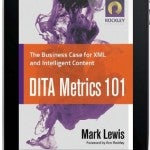
The Rockley Group has long been recognized as a leader in DITA and content strategy. This group has published several “must read” reference books on topic based authoring and different approaches to content strategy. For the Rockley Group’s latest book, DITA Metrics 101, they decided to self-publish to both print, tablets and mobile using Adobe’s Technical Communications Suite 4.

Adobe has published a downloadable PDF case study which details highlights of this new venture. Ann Rockley, CEO and founder of the Rockley Group states today’s publishing challenge very succinctly: “Publishing only to print no longer suits an increasingly mobile audience that needs on-the-go access to compelling, interactive information.” She adds that all publishers—not just technical communicators—need new ways to easily create content in a single source environment, manage the storage and retrieval of content, and design structured layouts to automatically flow XML-based content into multiple print, eBook, Web, and mobile formats.
The Rockley Group’s goal for publication of DITA Metrics 101 was to find a better way to automatically create indices, tables of contents, links, as well as add and update cross-references and integrate other features that would enhance the reading and tablet/mobile navigation experience.
Streamlined, single-source DITA workflow
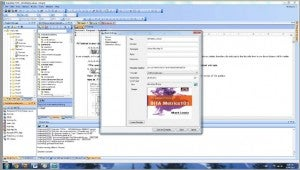
The basic publishing workflow was to import content from a variety of Microsoft Word documents into Adobe FrameMaker and convert and create original XML content in FrameMaker at the same time; this helped guarantee that all content was modular and without prior formatting. Once content was brought into FrameMaker, the Rockley group used Tech Comm Suite’s integration with RoboHelp to make the eBook come to life, using CSS and FrameMaker templates down to the character level.
The team was surprised at how easily they could generate print versions and multiple eBook or HTML5 versions of the book with minimal customization. “The entire process was far easier than I imagined. With just a few changes, RoboHelp largely produced the eBook on its own,” says Esther Cressall, desktop publisher at The Rockley Group. “One of the best things about Adobe Technical Communication Suite is that the RoboHelp user interface looks similar to the FrameMaker interface, making it easy to navigate between the two applications.” When Cressall needed guidance, she found the online help and video documentation extremely useful.
Major improvements in RoboHelp over several releases
Cressall was a bit apprehensive about using RoboHelp, since her previous experience was with a much older version from a decade ago. “I was not sure about using RoboHelp for this particular use at the outset, but it ended being a great experience,” she says.
https://blogsimages.adobe.com/techcomm/files/2013/05/02-ROBOHELP-ROCKLEY.jpg

The Rockley group plans to continue to use Tech Comm Suite to publish future books to print and multiple tables and mobile devices, as they have saved a considerable amount of time and money not depending on third parties to produce this work.
Try it for yourself!
Don’t take our word for it (or the many experts referenced in the compendium of reviews listed above.) You can have your own hands on with Tech Comm Suite 4 by clicking here. Once you do, we think you’ll find that the wait is over and time to act is now. And by the way, if you like to “pay as you go,” Tech Comm Suite 4 is now available on a monthly subscription basis.