Australian lifestyle photographer Jodie Johnson started her career at an advertising firm, but after fifteen years of working with clients, the Melbourne native pivoted her career in a more creative direction. Now Jodie is an assignment and stock photographer who specializes in lifestyle and interiors. Here, she passes on her best tips for getting the shot.
1. Take advantage of natural lighting
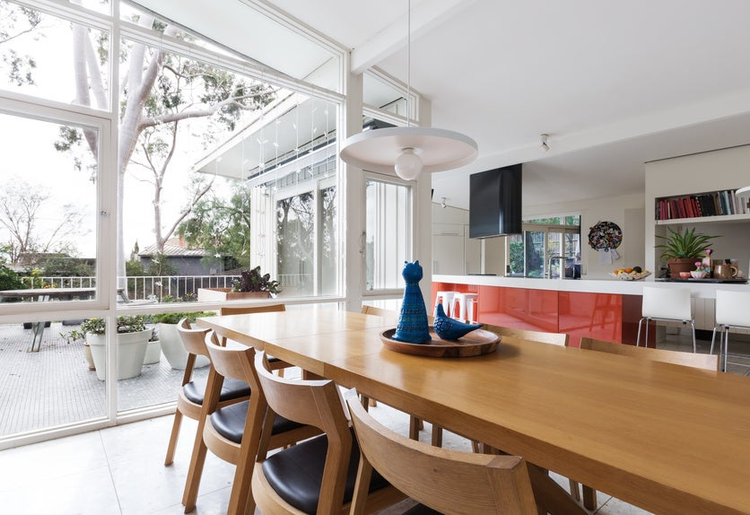
I love the authentic feel that natural light creates for interiors photos. House lights can create yellow or blue colored light and produce all sorts of ugly shadows and unbalanced color. So unless it’s a feature or you really need extra light, turn the lights off! A tripod is a must for longer exposures inside, and sometimes a bit of post processing to brighten any particularly dark spots.
2. Look out for straight lines
Always have either a vertical or horizontal line perfectly straight. There’s nothing worse than a beautiful interior that has been shot with the camera slanting, or facing slightly up or down.
3. Style your shoot
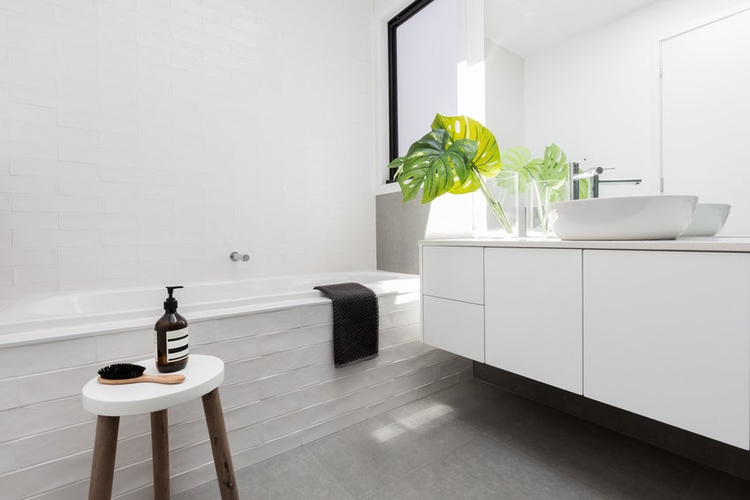
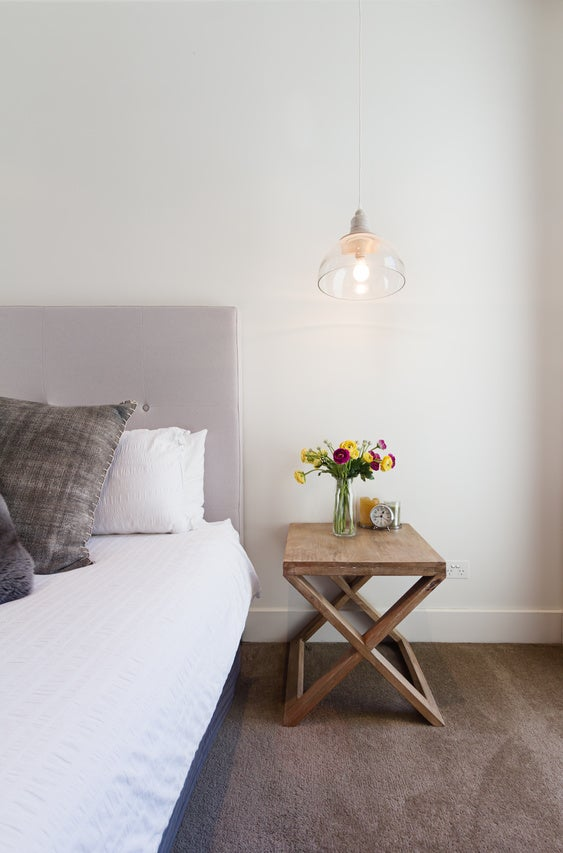
Often if I’m shooting someone’s home, I don’t have the luxury of styling all the furniture and decor. However, I do move and prop small items, such as books and ornaments, and always carry a selection of fake flowers and vases to pop into empty spaces.
4. Be mindful of negative space
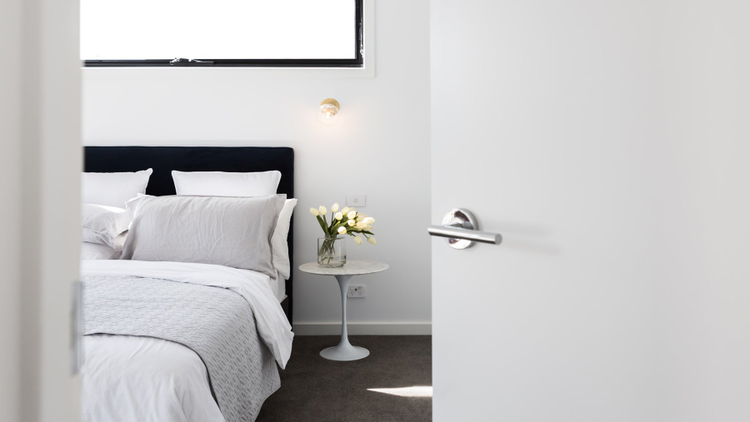
Try to consider how buyers might use the image you’re about to take, and allow for some flexibility. Leaving purposeful negative space in some shots gives the buyers options to include a headline, or overlay some text or a logo. The most obvious one is a blank white wall, but there’ll be plenty of ways to do this when you look around the space you’re in.
5. Don’t forget the details
Images of a whole room are an obvious choice, but there are so many things within a room to focus in on. From a light switch to a door handle, beautiful bed linen or vase of flowers, get in closer and capture the details as well. I aim to get as many variations as possible from one shoot or location.
6. Get a property release
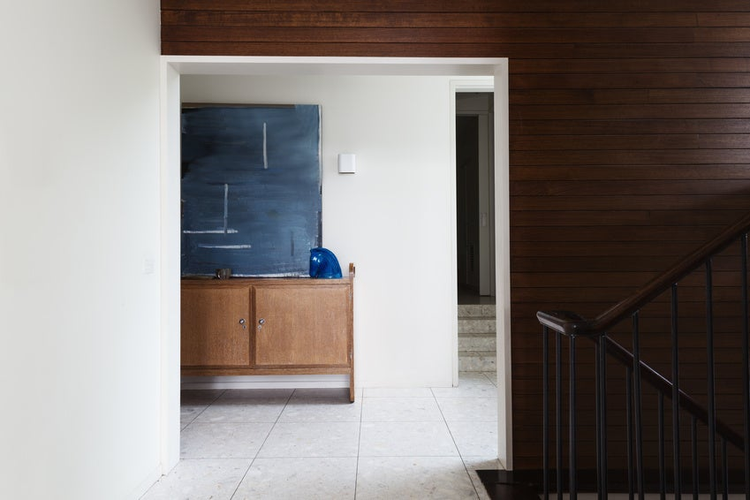
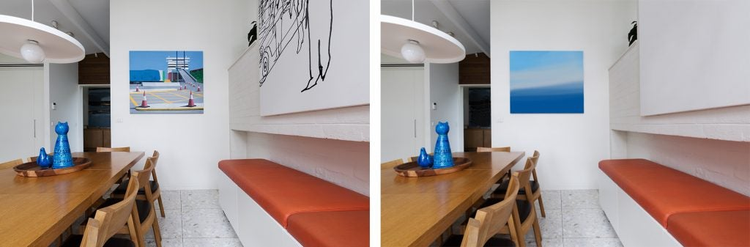
If you are shooting a recognizable interior or building, you will need to get a signed property release in order to sell those images on a stock marketplace. The same goes for recognizable interior elements, like a painting or photographs. I usually just clone out the subject completely, or create a simple overlay in photoshop that fits with the colors in the shot. At a recent shoot, I noticed an original artwork of a local Melbourne artist, Alan Annells (the one below with the cones). Alan is a good friend and I told him about the stock shoot and how I cloned over his painting to avoid infringing his copyright. But I was surprised when he said he would have signed a property release no problem – so if the opportunity arises, always ask!
You can find more information about legal guidelines on our Contributor HelpX page and see more of Jodie’s portfolio on Adobe Stock.
You can control how Adobe websites use cookies and similar technologies by making choices below. But note that if you disable cookies and similar technologies entirely, Adobe websites may not function properly.
Cookies are small text files stored by your web browser when you use websites. There are also other technologies that can be used for similar purposes like HTML5 Local Storage and local shared objects, web beacons, and embedded scripts. These technologies help us do things like remembering you and your preferences when you return to our sites, measure how you use the website, conduct market research, and gather information about the ads you see and interact with.
You can make choices in the menu below about what cookies and other technologies you want us to use on Adobe sites when you visit them from this browser. You can always change those choices later by clicking on the Cookie Preferences link at the bottom of the page.
If enabled:
We can improve your experience by tailoring the site and the content to things we think might be of interest
We can better keep track of your preferences — like what language you prefer to use
We will better understand your likely interests so we can provide you more relevant Adobe ads and content on non-Adobe websites and in non-Adobe apps
It will help us improve the performance of our website and those of our partners who use the Adobe Experience Cloud
If disabled:
We won’t be able to remember you from session to session so the experience may not be tailored to your interests
You’ll still have access to the content of the site but certain features that depend on cookies may not function
You’ll still see ads, they just may not be as relevant to you
General information
You can control how Adobe websites use cookies and similar technologies by making choices below. But note that if you disable cookies and similar technologies entirely, Adobe websites may not function properly.
Cookies are small text files stored by your web browser when you use websites. There are also other technologies that can be used for similar purposes like HTML5 Local Storage, web beacons, and embedded scripts. These technologies help us do things like remembering you and your preferences when you return to our sites, measure how you use the website, conduct market research, and gather information about the ads you see and interact with.
You can make choices in the menu below about what cookies and other technologies you want us to use on Adobe sites when you visit them from this browser. You can always change those choices later by clicking on the Cookie Preferences link at the bottom of the page.
If enabled:
We can improve your experience by tailoring the site and the content to things we think might be of interest
We can better keep track of your preferences — like what language you prefer to use
We will better understand your likely interests so we can provide you more relevant Adobe ads and content on non-Adobe websites and in non-Adobe apps
It will help us improve the performance of our website and those of our partners who use the Adobe Experience Cloud
If disabled:
We won’t be able to remember you from session to session so the experience may not be tailored to your interests
We’ll still count your use of our site and services
You’ll still have access to the content of the site but certain features that depend on cookies may not function
You’ll still see ads, they just may not be as relevant to you
Operate the site and core servicesOperate site and measure engagement
Always active
These cookies are required, and they are used to enable the site and related services core functionality. Without them the site could not operate, so they cannot be disabled.
These cookies enable the site and related services’ core functionality and collect statistics about user engagement, such as counting active use to help us understand trends. These cookies cannot be disabled.
Measure performance
These cookies are used to analyze site usage to measure and improve performance. Without them Adobe cannot know what content is most valued and how often unique visitors return to the site, making it hard to improve information we offer to you.
These cookies are used to analyze site usage to measure and improve performance. Without them Adobe cannot know what content is most valued, making it hard to improve information we offer to you.
Extend functionality
These cookies are used to enhance the functionality of Adobe sites such as remembering your settings and preferences to deliver a personalized experience; for example, your username, your repeated visits, preferred language, your country, or any other saved preference.
Personalize advertising
These cookies are used to enable Adobe and our partners to serve ads more relevant to your interests. Without them you will still see ads, but they might not be as relevant to you.