August 2020 release of Adobe XD: Introducing Multiple Flows
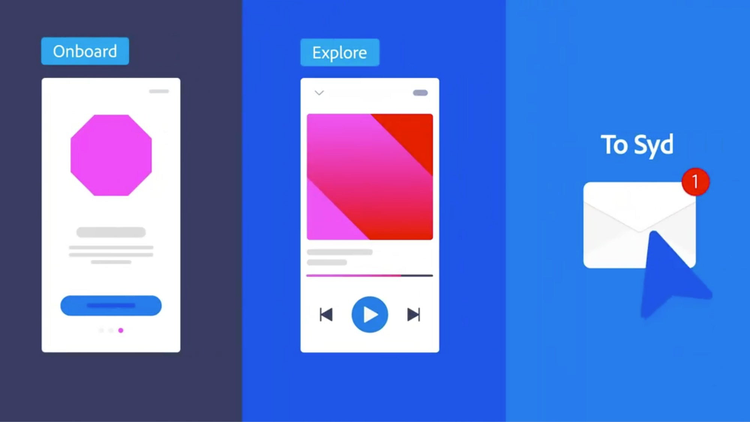
Today we’re introducing a new way to create and share different design flows in Adobe XD. This new feature, Multiple Flows, will help you spend more time designing and less time doing repetitive management work.
Oftentimes (well, most of the time), you likely want to create different versions of a design to share with different people. Maybe you’re sharing early drafts with your team, or creating a few options for a client, or designing for various breakpoints, platforms, or locales. To do this, most tools force you to break your designs into multiple pages or files. If you want to use the same screens in different designs, you have to duplicate designs and constantly update to make sure they’re in sync as you make changes. That’s a lot of wasted time and effort.
In these cases, you need flexibility in how you organise your designs. You also need the right controls in place so you can share the right designs with the right audiences without any extra work. This is where Multiple Flows comes in.
Multiple Flows lets you create and share different versions of a design in the same document, all in one place. Wire together different sets of artboards and share unique links for each set. Use the same set of artboards across multiple prototypes without having to duplicate your work over and over. Make changes to your designs and update your links so that everyone is on the same page. It’s that simple.
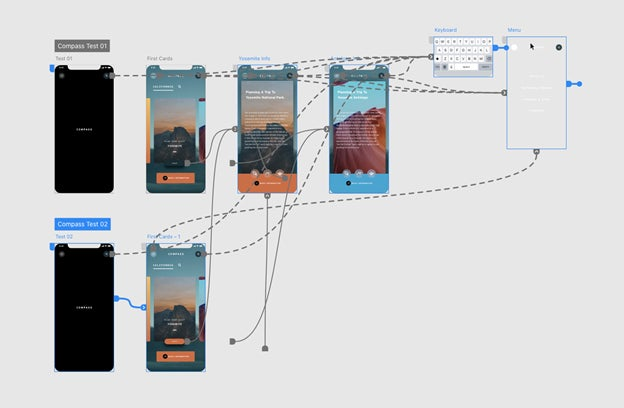
https://video.tv.adobe.com/v/38029/ Now, when prototyping in XD, you can set more than one “home” artboard and define flows for each one. Home artboards act as starting points for a flow where you can drag wires to connect different screens together. If you want to create another version, simply set a second home artboard and wire together your screens from there. You can use the same screens across different flows without having to duplicate over and over for each flow. You can give each flow a name to help keep you organised, such as “Sign Up” and “Log In,” or “Mobile,” “Desktop,” and “Tablet.”
Once you’ve created a flow (or a few of them!), switch over to Share mode to publish links. You’ll see the different flows you’ve created on the canvas. When you select a flow, XD will highlight all of the artboards in that flow so it’s clear what you’ll be sharing. Click “Create Link” and generate a shareable link to your design that you can send off for review and feedback. You’ll always be able to see when the link was last updated as you make changes and iterate on the designs.
Multiple Flows is available to all XD users. Update to the latest version of XD to get access, or download the latest version of XD if you don’t already have it.
In addition to Multiple Flows, here are a few other updates this month:
- Quickly switch modes with keyboard shortcuts: Now you can toggle between Design, Prototype, and Share modes in XD. Press Alt+1 (Windows) or ⌥+1 (macOS) for Design mode, Alt/⌥+2 for Prototype mode, and Alt/⌥+3 for Share mode.
- Explore XD plugins for copywriting and localisation: We’ve curated a collection of powerful plugins to help you collaborate with copywriters, content strategists, and localization teams. Bring real content into your designs, pull text changes, design with the latest copy, and preview translated copy as you design different experiences in Adobe XD. Click here to browse and install the collection of plugins.
- Improved Creative Cloud integration with Microsoft Teams: The latest version of the integration makes it easier to access and share Creative Cloud files from within Teams and get notifications on file activity, such as when new comments are made, when links to creative files change, and more. See what’s new with the integration here.
- Share designs with the Slack plugin for XD: Share links and attachments to Slack without ever leaving XD. Select what you want to share, choose the channel or message you want to share with, and compose your message, all right within the plugin panel in Adobe XD. Download the free Slack for XD plugin here.