Shudder’s new horror flick Scare Me goes beyond previous horror anthology films with its storytelling, which creates an imaginative and interactive audience experience. The primary story arc follows two main characters, Fanny and Fred, who tell each other frightening stories at a cabin in the woods. The film is unique in that it never strays from these two characters to tell the short stories within, including the use of impressions, impersonations, and sound effects to draw the audience in and unveil the overall plot slowly with each short story.
We sat down with the film’s editor, Patrick Lawrence, to discuss his editing techniques, challenges he overcame, and how his inspiration from those who “dare to be different” influenced his choice to take on Scare Me.
How and where did you first learn to edit?
I began film studies back in 2002 at Webster University in St. Louis, MO. Back then, we were still learning about film production by shooting and editing with 16mm film stock. So, I learned to not only shoot on film, but also how to linear edit by splicing clips together on a flatbed Steenbeck editor. At the same time, I began taking a video production course to help satisfy some credits, it was in that class that I learned about the oncoming digital cinema revolution (this was circa 2003), and non-linear editing through ingesting/digitizing DV tape and applying what I learned on the Steenbeck digitally in Adobe Premiere.
Prior to this I had strictly wanted to be a director, but the ability to make important structural and narrative decisions in the edit fascinated me. It made me realize that editing could be an extension of directing, and that I could have just as big of an impact on the story being told as the director trying to tell it.
How do you begin a project/set up your workspace?
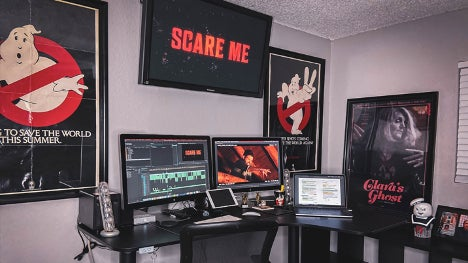
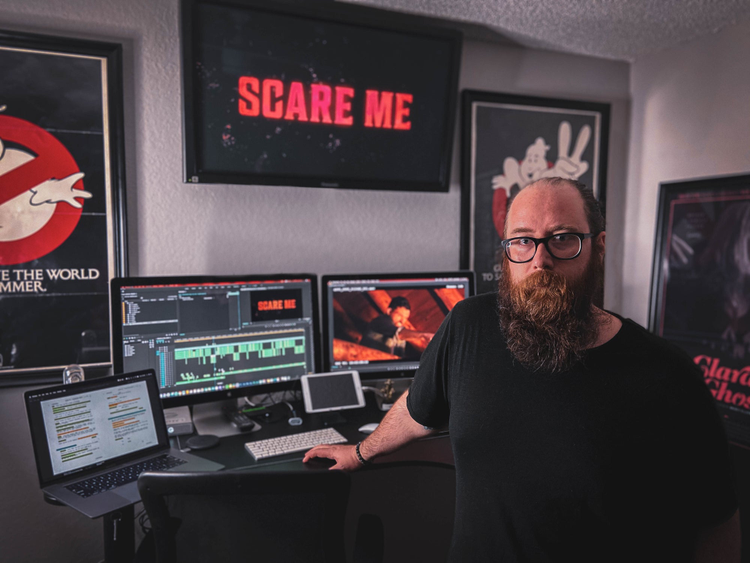
The process of beginning a project starts with familiarizing myself with the source material. Most of the time that begins with the script, which I mark up in real time on my initial read through. I find that this allows me to really hyper focus on not only the characters, but also potential camera angles, sound effects and reactions that will help me when compiling my assembly cut. After my script is marked up, I keep it open in PDF form on either my iPad or my MacBook Pro, in the same way some editors use paper scripts propped up on music stands, it serves as the blueprint to my editor’s cut.
It’s equally important to meet with the director, and mine as much information as you can about their vision before beginning your work on it. I always try to approach my editor’s cuts as not being influenced by anything that might have happened during production, and free from any of the misgivings that might be tormenting the director. In my head, I like to approach the first cut as though I was an audience member: Everything is new. If it doesn’t make sense to me as an objective observer, how will it make sense to the audience? And that is where you begin to peel back the layers of the film and sculpt it into something that works for everybody involved (the director, the audience, and yourself).
Tell us about a favorite scene or moment from this project and why it stands out to you.
One of my favorite scenes in Scare Me is towards the beginning, where we first see Fred (played by Josh Ruben) manipulate sound and space to create a real-life monster inside of his mind. He breaks from eating his TV dinner and stares blankly at a cellar door 10 feet away. As the camera creeps in slowly towards the door, we hear a low pounding as if someone on the other side is trying to bust through. And as the camera gets closer and closer to the doorknob, we spin around to reveal Fred (still sitting at the table) making these terrifying sounds with his mouth.
To me this was the epitome of what Scare Me is all about: Three actors taking storytelling back to its most primal form, and this was the scene that got me the most excited about working on this film.
What were some specific post-production challenges you faced that were unique to your project? How did you go about solving them?
The greatest hurdle we dealt with on Scare Me was how to trim the film down from two hours and 10 mins to a more manageable 104 mins. The issue with this was we have five complete scary stories being told in a linear and continuous narrative, making it very difficult to lift or eliminate any problematic scenes.
Unfortunately, we ran into just that issue when one of the stories in the film was just not working for our test screenings… and lifting it all together would not make sense for the narrative progression of the film.
Josh Ruben (director) and I were forced to roll up our sleeves and get creative with how we presented this story in order to keep it in the film, while still cutting it down from its original 11-minute run time.
I suggested using the erratic emotions of our characters to motivate faster cuts, with no real linear path for the story to be told, while at the same time using an eerie piece of score to turn the story into a montage/recap so that the audience could pick up the finer beats of the scene, without having to sit through the entire thing.
The end result is one of the funniest scenes in the entire film, and our follow up test audiences absolutely loved it. It even got a special shout out during the Q&A at Sundance this past year.
What Adobe tools did you use on this project and why did you originally choose them? Why were they the best choice for this project?
“Scare Me” was edited using Adobe Premiere, Audition, After Effects, Media Encoder and Photoshop.
Premiere has been my tried-and-true editing platform for the last eight years. I float back and forth between Avid and Premiere, depending on the needs of a particular project, but the muscle memory and symbiotic relationship I have with Premiere really shows in the speediness of my workflow. I am fortunate to have had six films premiere at the Sundance Film Festival since 2016 and all of them were edited using Adobe Premiere.