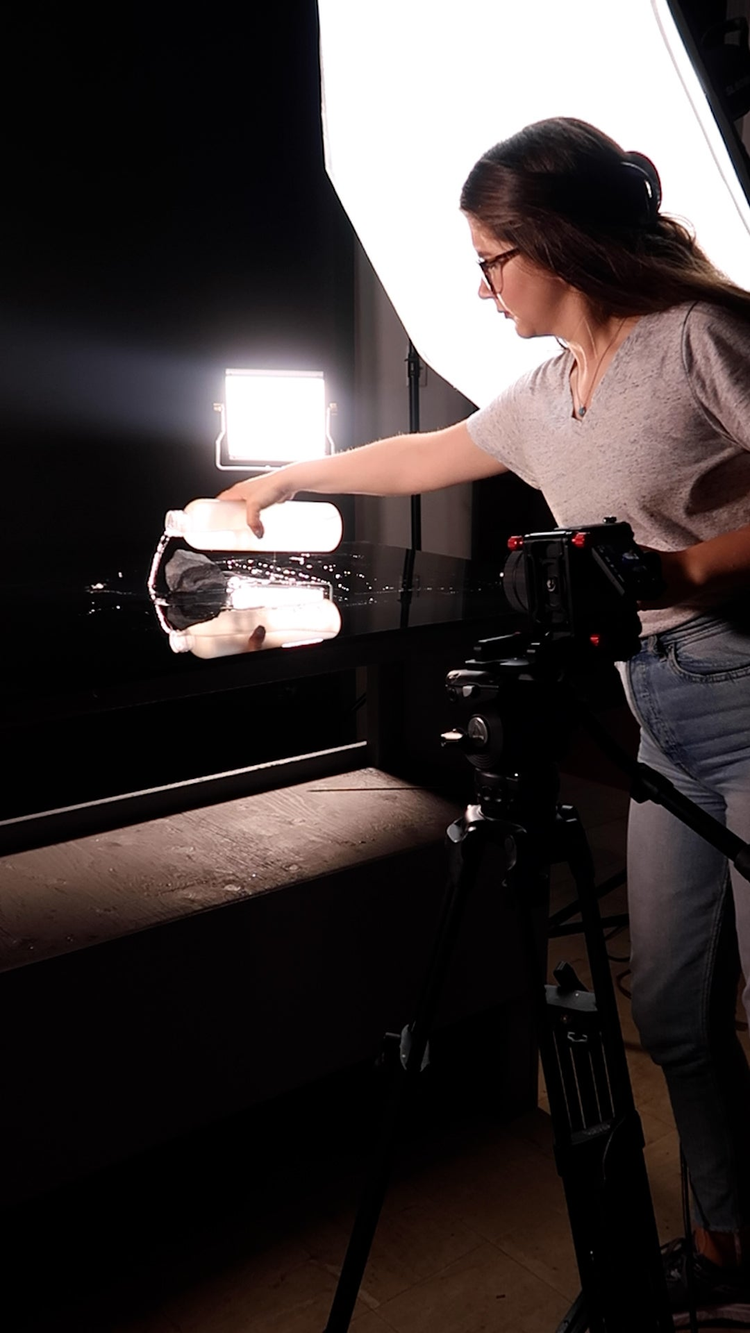
Grace Wells (@gracewellsphoto) has gained fame on TikTok for her innovative commercial series, “Making Epic Commercials for Random Objects,” highlighting everything from a potato to a paperclip, cotton candy to toilet paper. The series started out as a personal creative exercise and caught the attention of big brands that have brought her on to amplify their products in a new way.
We sat down with Grace to hear about how she sets the scene and creates commercials for social media and beyond with the help of Adobe Creative Cloud tools.
https://www.youtube.com/watch?v=fD-GpG8ZGh8
How and where did you first learn to create and edit video content?
In 2018, I bought my first camera and took up photography as a hobby. I very quickly realized that I was completely drawn to video. With every photo I took, I found myself thinking, “this would make such a great video!” I set out on a mission to learn as much as I could about video production and editing. Three years and a million tutorials later, I’m super proud to say I’m self-taught. I like to call myself a lifelong student at the “University of YouTube.”
How do you set up your workspace?
My workspace is pretty fluid. I’m constantly moving between my home, my studio, and sometimes further afield when shooting on location. It’s not the easiest thing to manage — I like to be overprepared and am always carrying around an obscene number of external drives and SD cards. One constant is that I’m obsessed with seltzer and pretty much always have a can on hand.
What Adobe tools do you use to edit the content for your social channel(s) and why do you think they’re the right choice for you?
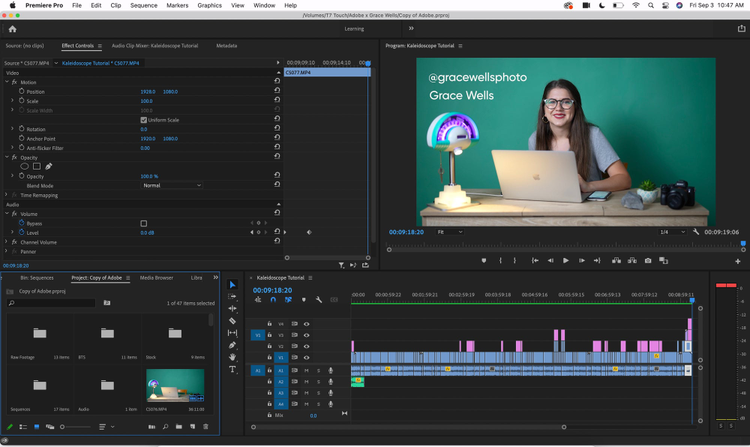
Premiere Pro and After Effects are my two best friends, but I’ve dabbled in many other Adobe Creative Cloud programs throughout the past few years (Photoshop, Lightroom, Illustrator, and Audition, to name some). I think what really seals the deal for me as a die-hard Adobe user is the way that all of the Adobe Creative Cloud applications work together as an ecosystem. Unlike so many other editing software, it feels like there is truly no limit to what you can achieve with Premiere Pro. If there’s ever something I can’t accomplish directly within Premiere Pro (which is rare), it’s so easy to link my projects with other Adobe Creative Cloud programs to turn my visions into reality.
What other videos have you created outside of the content for your social channel(s) using Adobe tools? What tools did you use?
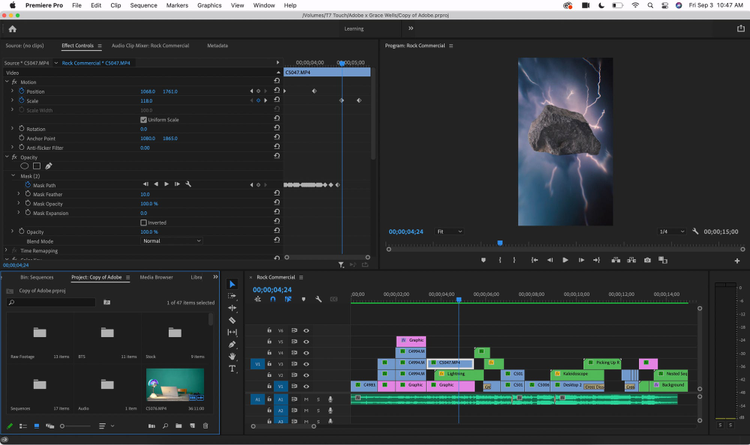
I’ve been very fortunate in that success with my social media content has led to a full-time career in commercial production. Not only do I use Premiere Pro to create video content for my own channels, but now I also create video content for major brands. This year, I’ve created content for brands across a wide range of verticals, including Olay, Sabra, Samsonite, Miracle Gro, and Dawn. Most recently, I was able to work on a 15-second digital ad spot for Adobe, which was a dream collaboration for me. The most fun was that the brand asked me to lean into my TikTok series, “Making Epic Commercials for Random Objects,” and so the star of the ad was a rock (very random, indeed.) It was such a full circle moment to create content for a brand that has been such an integral part of my journey.
What are some specific editing challenges you’ve faced? How did you go about solving them?
What I’ve learned about video editing is there’s always more than one way to reach a specific result. If you’re having a hard time editing a particular sequence or effect, it’s helpful to try approaching the problem in new ways — often you don’t even know what you don’t know! For at least my first year using Premiere Pro, I created an opacity mask every time I needed to isolate an object from my background, and in some cases, it was incredibly time consuming. One day, someone left a comment on one of my TikTok videos teaching me about the Roto Brush in After Effects. I was able to achieve the same effect in a fraction of the time.
Where do I even begin? I think my absolute favorite thing about Premiere Pro is that apart from being very powerful, it’s also very intuitive. Since I couldn’t attend any sort of formal video editing course, it was really important to find a video editor that felt both limitless and learnable.
What’s your hidden gem/favorite workflow tip in Adobe Creative Cloud?
Dynamic Link has a special place in my heart. Being self-taught, it took me a little bit longer to catch on to all the workflow capabilities that Adobe Creative Cloud has to offer. It was honestly life changing when I figured out that I could edit a portion of my Premiere Pro timeline directly within After Effects and see the changes just appear back in Premiere Pro or adjust my audio track in Audition without the hassle of exporting here and reimporting there.
Who is your creative inspiration and why?
When I first started diving into content creation, my biggest inspiration was absolutely Daniel Schiffer. It’s not the most original answer, but seriously — he’s so popular because he’s incredibly talented. Austen Paul was also a favorite for me. That said, I’ve reached a stage where I’ve unfollowed many of the creators who initially started me down this path. It’s not because I don’t think they’re brilliant (they are), but more because I’m now committed to developing a style of work that isn’t heavily influenced by others. These days, I try to draw inspiration more from what’s going on in pop culture and media rather than from creators in my same niche.
What’s the toughest thing you’ve had to face in your career and how did you overcome it? What advice do you have for aspiring content creators?
I’ve struggled with major impostor syndrome from day one, and to be honest, I wouldn’t say I’ve totally overcome it. I’m not sure anyone, no matter how successful they are, is ever truly safe from the nagging feeling that they’re not good enough. I try to remind myself that what I’ve achieved didn’t happen by accident and I’ve worked hard to reach my goals. It’s important to stay humble, but to still acknowledge and be proud of our accomplishments.
Share a photo of where you work. What’s your favorite thing about your workspace and why?
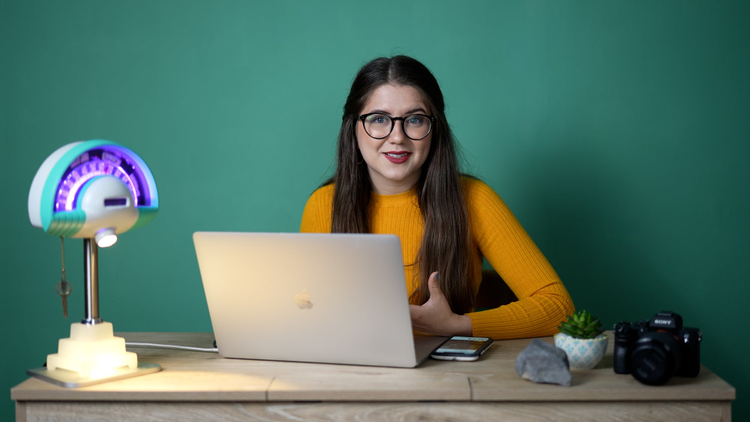
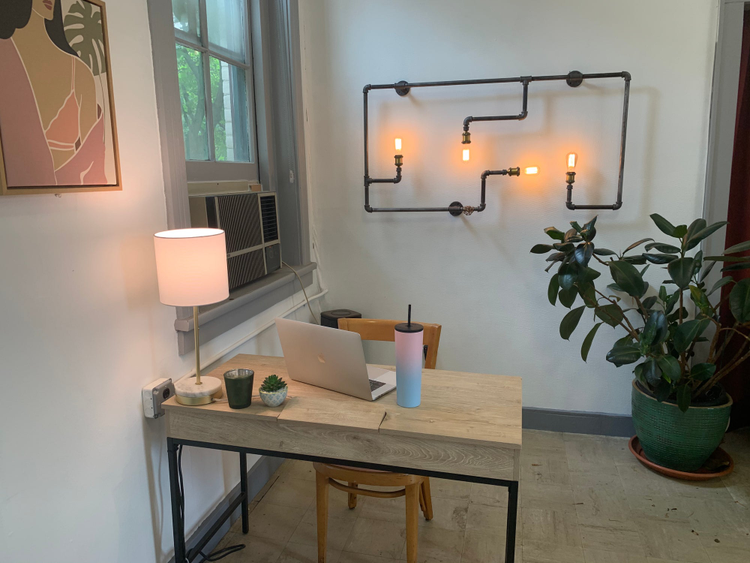
This is my desk in my studio. The best part about working in a studio is that I share the space with my dad — he creates lighting fixtures from repurposed antiques. After living 3,000 miles away while at college for the past five years, it’s so nice to be able to spend so much time with him. Plus, he loves making the occasional appearance in my TikToks.
You can check out more of Grace’s incredible work on her TikTok here and more of her Adobe Creative Cloud tutorials here.