Every communications team knows the feeling: a major announcement hits, and suddenly you’re managing countless moving pieces at once. You’re developing a wave of materials, delivering press kits to journalists and influencers who need different formats for different audiences, briefing stakeholders across markets, updating messaging and assets, tracking coverage, and reporting insights to leadership. It can be overwhelming.
Adobe's communications team knows this exact challenge. By using the latest AI-powered publishing and sharing capabilities in Adobe Acrobat PDF Spaces, the team has transformed how it engages with media, analyzes coverage, and presents insights to internal stakeholders.
Here's what that transformation looks like in practice, and how communications leaders at any organization can adapt Adobe's approach for their own work.
Give media a smarter way to engage with your story
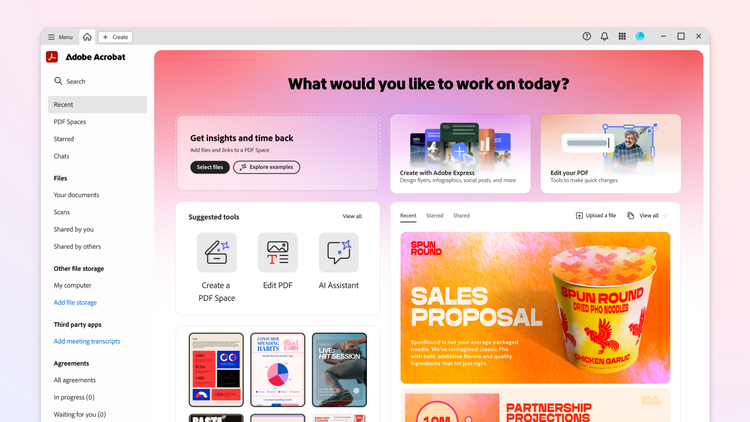
Reporters are busy, time is tight, and getting the right information to media outlets in formats that are simple to navigate is critical to getting the coverage you want. Adobe’s communications team uses PDF Spaces, an AI-powered workspace in Acrobat that unifies files and links, surfaces insights, answers questions, and empowers people to easily create polished deliverables from that information in minutes. This turns what would otherwise be a folder of files — press releases, blog posts, executive and customer quotes, FAQs, fact sheets, and more — into press kits that let reporters actively work with the information they’re given. Each press kit centralizes everything in a single hub with a built-in AI Assistant that lets journalists ask questions across all the materials at once, get synthesized answers, and follow clickable citations directly to the source. Instead of hunting through a dozen documents to find a stat or verify a quote, they get a research assistant that’s been purpose-built for the story.
Reporters and comms teams both benefit: fewer back-and-forth emails on basic questions, and more time for the conversations and writing that matter for news.
Turn a flood of coverage into actionable insights
After a major announcement, coverage comes in fast and from all sorts of places — traditional media outlets, newsletters, podcasts, YouTubers, and social channels around the globe. Making sense of these channels, and validating the trends that rise to the top quickly enough, is one of the most time-consuming parts of the job. Adobe’s team uses PDF Spaces to compile all incoming coverage and put AI Assistant to work analyzing it: surfacing top themes, identifying which messages and solutions gained the most traction, pinpointing frequency of key executive quotes, and highlighting standout narratives. That analysis feeds into the full report, which can be easily updated as new coverage comes in. Then by sharing the coverage as a PDF Space, the team can easily invite stakeholders to explore the source material, dive into citations, and ask follow-on questions directly.
Those insights serve three distinct audiences: leadership gets clear reporting on what landed, the communications team gets intelligence to evolve its strategies and messaging, and product and marketing teams get a direct read on how their solutions are being perceived in market — straight from the coverage.
Make every asset work harder for you
Communications teams spend a lot of time translating the same information into different formats for different audiences. PDF Spaces helps Adobe’s communications team do that a lot more efficiently.
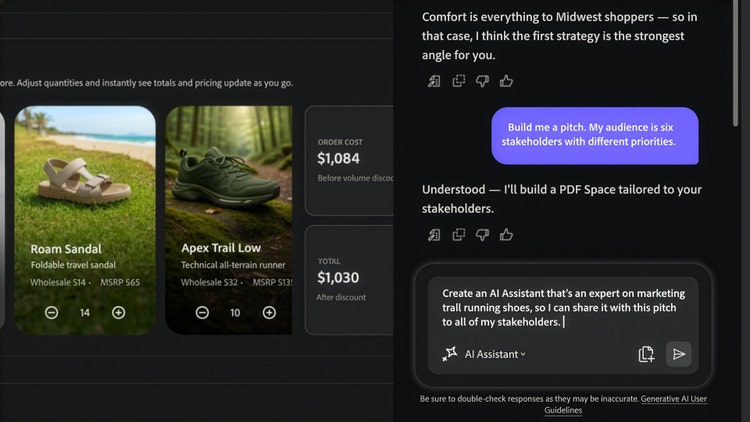
The team uses Acrobat’s Generate podcast feature to turn messaging materials, FAQ documents, and coverage recaps into quick audio recaps that executives can listen to on the go. This helps them get refreshed on Adobe’s positioning and stay current on the latest news wherever they are. Generate presentation, powered by Adobe Express, transforms documents and files into a polished visual presentation in minutes. The team uses this as a starting point for agency briefings, executive reviews or internal trainings. With the AI Assistant that can be customized for every shared PDF Space to answer questions and provide suggestions, the team can build prep experiences tailored to each spokesperson or to different teams attending big events.
AI Assistant can also be activated as a quality check on the team’s drafted assets. Whether it’s a blog post, press release, prep doc, or messaging sheet, the team asks AI Assistant to surface the top messages that come through, giving them a read on whether the draft conveys what it was meant to clearly enough. If the intended message isn’t coming through in that summary, the team knows where to focus their edits.
Proof point: Adobe MAX
At last October’s Adobe MAX 2025 the team put all three capabilities to the test, at scale. They hosted more than 150 outlets — the largest media footprint the event had ever seen — with dozens more covering remotely. The team drove 230 percent more coverage than at MAX the previous year.
PDF Spaces was central to managing it all: interactive press kits for media, real-time coverage consolidation as stories came in from around the world, and clear, multimedia messaging assets for stakeholders across the organization — from regional marketers and event organizers to C-level executives. AI Assistant in PDF Spaces gave the comms team a head start in locating themes and drafting summaries with clickable citations so stakeholders could see which messages landed and which features resonated most. With PDF Spaces helping on the analysis and assembly, the team had more time to focus on adding strategic insights and driving more coverage.
Free your team to focus on the story
The communications strategy, narrative judgment, and emotional read of what an audience needs to hear all sit with the communications team. But with PDF Spaces supporting on assembly, research, structure and analysis, communications professionals get something even more valuable than efficiency: room to think and operate at a level of speed and strategic impact that simply wasn’t possible before. As the capabilities within PDF Spaces continue to evolve, the foundation is set for communications teams to embrace these AI-powered workflows — and to play an even more strategic role in the stories their organizations tell.
To try PDF Spaces for your own team’s work, visit the Acrobat for Business page.