In the past few weeks we’ve begun to roll out updates to our brand identity. Some of you may have noticed these changes, so we want to share more info about what we’re doing.
The number of products Adobe offers is extensive — serving a very wide range of audiences who have a broad set of needs. We are always impressed and inspired by the ways people use our products. From students to businesses, creative professionals and beyond, the stories they’re telling and experiences they’re creating through our products are truly remarkable.
We’re making these branding changes to ensure our portfolio continues to be easy for our customers to navigate and understand, as well as maintain a fresh look and feel.
Let’s dig in.
The Adobe Logo
Our current logo has represented Adobe since 1993. The slight changes we’re making focus on ensuring the mark is as functional as possible at all sizes and across all surfaces. With that context, we are shifting to a single color, all-red logo, and are refreshing the specific color red to be warmer and more contemporary.
Adobe Express
Our free plan includes thousands of unique templates, design assets, Adobe Stock royalty-free photos, and more. Available on web and mobile.
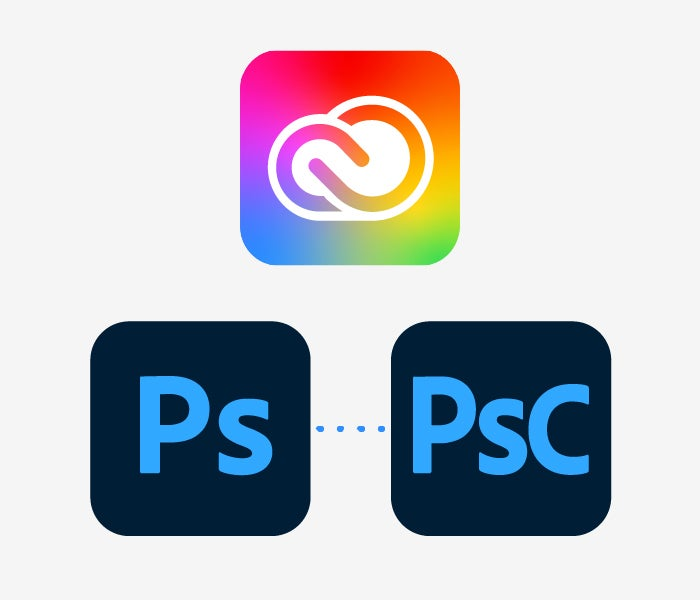
Color plays an important role in the way we express Creative Cloud and our broad range of creative products. The new Creative Cloud logo brings the colors of our product brands and our new corporate red together into one beautiful gradient that represents the importance of creativity. We are also increasing the weight of the Creative Cloud logo itself to increase legibility and scalability.
For product logos, we’ll use our 2-letter mnemonic system across the whole portfolio (e.g. Ps represents Adobe Photoshop.) We’ll also be adding 3-letter mnemonics to the system to help customers better identify product families, for example Adobe Photoshop (Ps) and Adobe Photoshop Camera (PsC). We are also using color to organize products into categories such as Video & Motion or Photography, to ensure customers can easily find the products they need. Product logo colors have been optimized for accessibility as well.
Creative Cloud and all product logos will have rounded corners so that the system can flex to accommodate the range of operating systems and devices our products can be used on. We are removing the border for this reason as well.
Adobe Document Cloud
The trefoil logo (see example below) is a core component of how we express Document Cloud and the related products in the portfolio. Moving forward, we are using the trefoil logo consistently across products, and the background tile color will distinguish products from one another. For example, Adobe Acrobat Reader will use a white trefoil on a red tile, while Adobe Scan uses a white trefoil on an blue tile. This shift communicates the connection between these products while also allowing for distinction between products.
We’re also increasing the weight of the trefoil shape, and removing borders and rounding the corners for all product logos.
Adobe Experience Cloud
Our focus with Experience Cloud is to streamline and simplify, and we’ve developed the new logo directly from our corporate mark to do just that. The refreshed version utilizes the inverse form of the Adobe logo and sits on a tile with the new Adobe red color. The applications and services within Experience Cloud use a similar form, with a red “A” on a white tile. Experience Platform also follows this approach with a red “A” on a dark tile.
All icons also have rounded corners and no borders.
Timing
This new system began rolling out at Adobe’s online SUMMIT event in March, and will continue in the coming weeks.
We’re excited to share our updated identity system with you. Our customers are at the heart of our brand, and we want to ensure you have insight into the evolution.
Adobe rises on Interbrand’s Best Global Brands list
Interbrand’s Best Global Brands list is one of the most respected rankings of brand value in the industry, ranking how well a brand is known, how well it is regarded, and how much it contributes to the company’s overall financial success.
It’s About to Get Easier to Express Your Brand: Adobe and Meta partner to provide small businesses with essential creative and marketing skills
Small business owners know that growing and managing their brand’s social media channels can be a major pain point. This free training program from Adobe and Meta will change that.
05-03-2022
Photography branding and marketing
Going pro as a photographer takes more than a keen eye. You’ll have to hone your aesthetic and promote it through digital platforms and networking.
08-24-2021
Title
Evolving Our Brand Identity
Description
See the changes we’ve made to the Adobe brand marks and read how our design team approached the work.
You can control how Adobe websites use cookies and similar technologies by making choices below. But note that if you disable cookies and similar technologies entirely, Adobe websites may not function properly.
Cookies are small text files stored by your web browser when you use websites. There are also other technologies that can be used for similar purposes like HTML5 Local Storage and local shared objects, web beacons, and embedded scripts. These technologies help us do things like remembering you and your preferences when you return to our sites, measure how you use the website, conduct market research, and gather information about the ads you see and interact with.
You can make choices in the menu below about what cookies and other technologies you want us to use on Adobe sites when you visit them from this browser. You can always change those choices later by clicking on the Cookie Preferences link at the bottom of the page.
If enabled:
We can improve your experience by tailoring the site and the content to things we think might be of interest
We can better keep track of your preferences — like what language you prefer to use
We will better understand your likely interests so we can provide you more relevant Adobe ads and content on non-Adobe websites and in non-Adobe apps
It will help us improve the performance of our website and those of our partners who use the Adobe Experience Cloud
If disabled:
We won’t be able to remember you from session to session so the experience may not be tailored to your interests
You’ll still have access to the content of the site but certain features that depend on cookies may not function
You’ll still see ads, they just may not be as relevant to you
General information
You can control how Adobe websites use cookies and similar technologies by making choices below. But note that if you disable cookies and similar technologies entirely, Adobe websites may not function properly.
Cookies are small text files stored by your web browser when you use websites. There are also other technologies that can be used for similar purposes like HTML5 Local Storage, web beacons, and embedded scripts. These technologies help us do things like remembering you and your preferences when you return to our sites, measure how you use the website, conduct market research, and gather information about the ads you see and interact with.
You can make choices in the menu below about what cookies and other technologies you want us to use on Adobe sites when you visit them from this browser. You can always change those choices later by clicking on the Cookie Preferences link at the bottom of the page.
If enabled:
We can improve your experience by tailoring the site and the content to things we think might be of interest
We can better keep track of your preferences — like what language you prefer to use
We will better understand your likely interests so we can provide you more relevant Adobe ads and content on non-Adobe websites and in non-Adobe apps
It will help us improve the performance of our website and those of our partners who use the Adobe Experience Cloud
If disabled:
We won’t be able to remember you from session to session so the experience may not be tailored to your interests
We’ll still count your use of our site and services
You’ll still have access to the content of the site but certain features that depend on cookies may not function
You’ll still see ads, they just may not be as relevant to you
Operate the site and core servicesOperate site and measure engagement
Always active
These cookies are required, and they are used to enable the site and related services core functionality. Without them the site could not operate, so they cannot be disabled.
These cookies enable the site and related services’ core functionality and collect statistics about user engagement, such as counting active use to help us understand trends. These cookies cannot be disabled.
Measure performance
These cookies are used to analyze site usage to measure and improve performance. Without them Adobe cannot know what content is most valued and how often unique visitors return to the site, making it hard to improve information we offer to you.
These cookies are used to analyze site usage to measure and improve performance. Without them Adobe cannot know what content is most valued, making it hard to improve information we offer to you.
Extend functionality
These cookies are used to enhance the functionality of Adobe sites such as remembering your settings and preferences to deliver a personalized experience; for example, your username, your repeated visits, preferred language, your country, or any other saved preference.
Personalize advertising
These cookies are used to enable Adobe and our partners to serve ads more relevant to your interests. Without them you will still see ads, but they might not be as relevant to you.