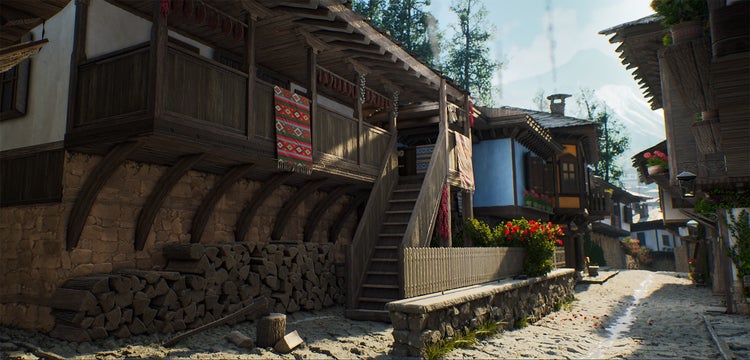
With the latest version of Substance 3D Painter, which debuted recently at GDC 2025, it’s easier than ever to craft precise details and create masks. Also at GDC, we gave a sneak peek at powerful new rendering capabilities coming to Substance 3D Designer and introduced a new Signature Collection in Substance 3D Assets.
Connecting with the game development community at GDC is always a highlight for The Adobe Substance 3D team. In this month’s blog, we dig a little deeper into the innovations we shared at the conference.
Improved path and fill capabilities in Substance 3D Painter
The latest release of Painter enhances your creative potential with improved 3D path and fill capabilities, allowing for more precise detailing and mask creation. Create custom shapes with the new filled paths feature and take advantage of geometry- and angle-snapping for unprecedented accuracy in your texturing work.
You'll also experience streamlined workflows with the auto-update feature for resources — creating a live link so any changes in an asset are automatically updated in your Painter project. The new automatic cage option for baking texture maps significantly reduces the time required to achieve precise results. Finally, a new unified export window puts all options at your fingertips, making it faster to export both meshes and textures. Performance improvements round out this release, ensuring a smoother experience when working with complex projects.
Learn more about these features and more in Substance 3D Painter.
Powerful new renderer coming to Substance 3D Designer
GDC attendees got a sneak peek at the next Substance Designer. Designer’s powerful new renderer brings superior quality visualization that matches consistently with other Substance applications. You can load a USD scene and build textures right in the context of that scene, eliminating the constant back-and-forth of traditional workflows.
The expanded node library and new generators accelerate material creation, while enhanced accessibility through rich tooltips provides more information about tools and capabilities. These intuitive tooltips provide deeper insights into each feature, helping you get the most out of Designer, whether you’re new to the app or an experienced user.