The holidays are a magical time full of color, warmth and a million little moments begging to be captured and shared. Whether you’re creating a cozy soundtrack for your year-in-review video, finally capturing a photo for the family holiday card or dreaming up unforgettable gifts, Adobe Firefly, your all-in-one AI creative studio, can help you bring every bit of that magic to life.
Here are some fun, easy and meaningful ways you can use Adobe Firefly to bring holiday cheer to your friends, family and followers:
Creating your own holiday music
With Adobe Firefly Generate Soundtrack, you can produce musical tunes that capture whatever cozy vibe you want your audience to feel while listening to your holiday vlogs, watching your end of year recaps or reading your digital Christmas cards. A warm background instrumental, an upbeat jingle, some cinematic winter ambience, it’s all available right at your fingertips with Firefly.
With Generate Soundtrack you can create original, studio‑quality instrumental music that matches the vibe of what you’re creating. Because it's universally licensed, you can use your generated music on any of your social platforms.
Generate Soundtrack is packed with features including:
- Presets: Upload a video and let Firefly suggest the perfect vibe, style and purpose or start from scratch by selecting tags like upbeat, calm, lo-fi, jazz or cinematic. If you’re looking for something specific, or following a brief, you can also enter your own!
- Customization: Adjust the tags to fit your content. Whether it’s a video intro, a podcast segment or background music, the guided prompts make it simple.
- Options: Preview the different variations it generates and instantly export your track and share!
If you want some more inspiration, check out the holiday soundtracks we’ve made for you to use!
Cozy Cabin Christmas Jazz
- Vibe: Nostalgic, intimate
- Style: Jazz
- Purpose: Cozy cabin Christmas dinner
- Energy: Medium
- Tempo: Medium
Serene Snowfall Ambient
- Vibe: Peaceful
- Style: Ambient
- Purpose: Relaxing Christmas playlist
- Energy: Medium
- Tempo: Slow
Design sentimental wrapping paper
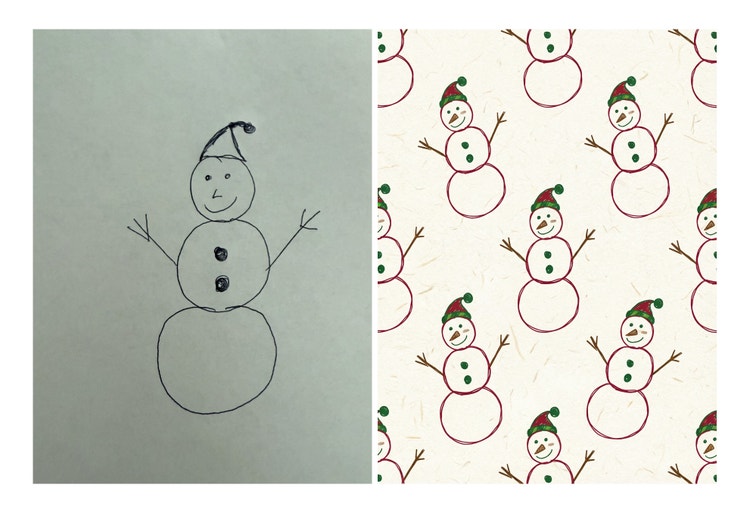
Turn something sentimental like your child’s drawing into gift wrap paper that’s uniquely your own with just one prompt using Adobe Firefly Image Model 5 or Google Gemini 3 (w/ Nano Banana Pro) image model.
- Take a photo of a drawing and upload it as a reference image in Firefly.
- Use Firefly Image Model 5 or Google Nano Banana Pro to reimagine the sketch as a polished, repeating pattern — perhaps turning a child’s snowman doodle into a whimsical, hand-drawn holiday pattern.
- Print it out for one-of-a-kind wrapping paper that makes the packaging as special as the gift.
: “Create a seamless repeating pattern based on this reference drawing. Transform it into a festive wrapping-paper design with warm red, green and gold tones and subtle white paper texture.”
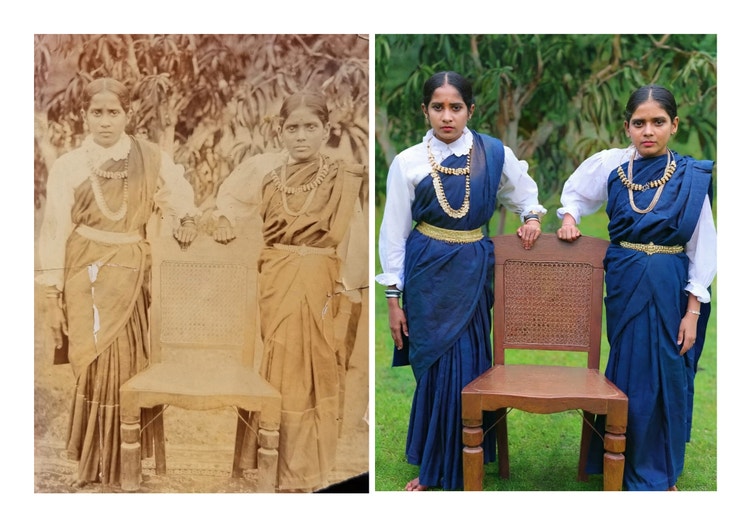
Restore an old family photo
Once you've made your wrapping paper, you can also use Firefly to create the perfect gift to wrap it in. For example, restore an old family image and add subtle atmosphere, transforming cherished black-and-white relics into vivid, lifelike keepsakes.
Liven up your holiday cards & more!
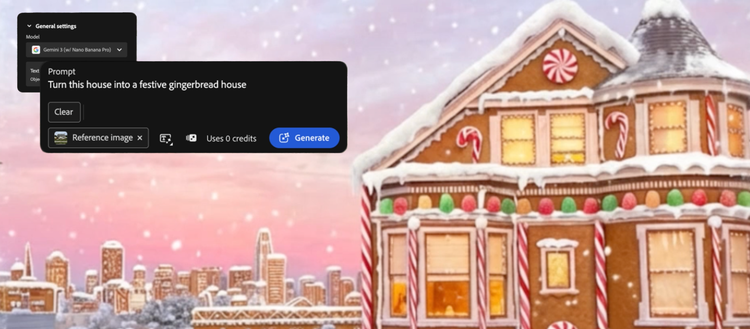
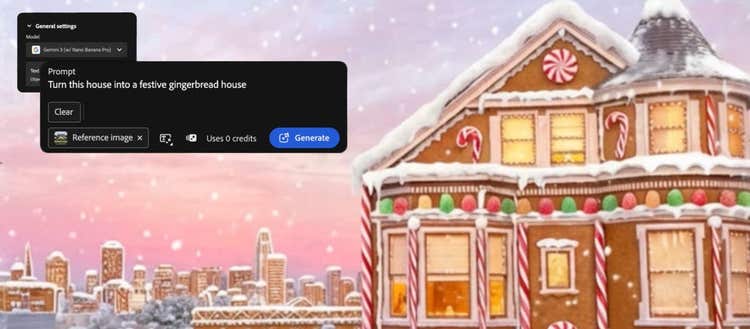
Create the gingerbread house of your dreams with Adobe Firefly Image Model 5 or Google Nano Banana Pro to spice up your holiday party invites or send out your seasons’ greetings virtual postcard.
- Use Firefly Image Model 5 or Google Nano Banana Pro
- Add reference image of your house
- Prompt: Turn this house into a festive gingerbread house
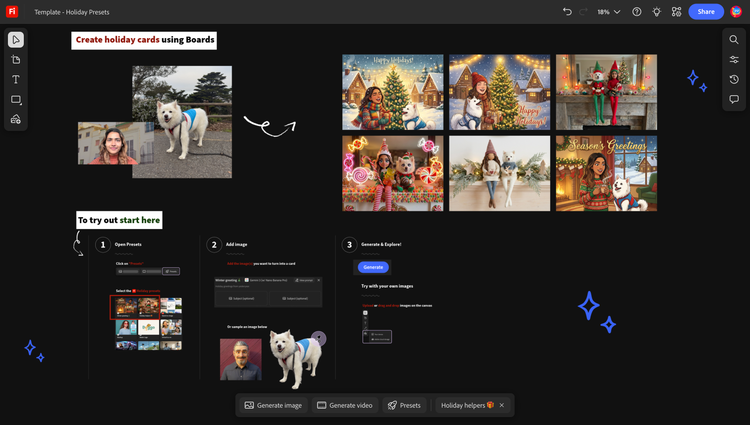
You can also create using Adobe Firefly Boards brand new Holiday Presets. Here’s how:
- Open Firefly Boards, click Presets and select which one(s) you like best
- Add a reference image(s) of yourself, family members, friends, pets, etc.
- Click Generate to see your creations
- From there you can bring it into Adobe Express to customize even more
- Download to get printed, send around to your group chats or post on social!
We’re so excited to see what you create this season! Click here to get started in Adobe Firefly.