Short-form video is exploding — and with averaging over 200 billion views every day, YouTube Shorts has become a major global stage for you to share those stories. But you also tell us you need fast, easy and powerful tools to make amazing videos that will help you stand out and grow your audience.
That’s why we’re excited to partner with YouTube and bring together Adobe Premiere’s industry-leading video editing tools with the massive reach of YouTube Shorts to accelerate content creation for all creators and make producing and sharing your Shorts easier and faster.
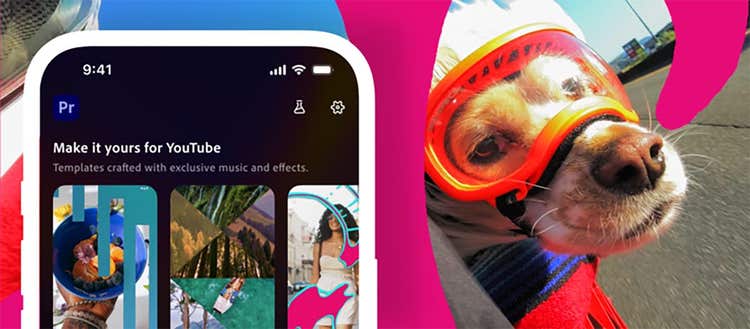
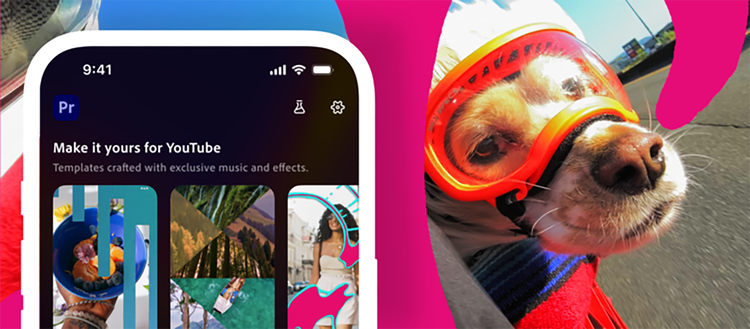
Starting today, the new create for YouTube Shorts space in the Premiere mobile app is available and empowers you to use Adobe's best-in-class video tools to create and edit the perfect video. This new space is packed with exclusive templates, transitions and effects that make creating and instantly publishing your content to YouTube Shorts intuitive — and frankly, fun!
Whether you’re new to creating or you’re a seasoned YouTuber looking to take your content even further, this dedicated creation space for YouTube Shorts is designed to help you create stunning content and share your stories with the world.
Meet the new creation space
The new content creation space for YouTube Shorts in the Premiere mobile app delivers everything you need to easily produce engaging videos, tap into trends and grow your audience. You now have access to Adobe’s powerful video editing tools including exclusive effects, transitions, templates, presets and more designed for creating eye-catching YouTube Shorts.
With this dedicated destination for editing YouTube Shorts in Premiere mobile, you can:
- Access exclusive effects, transitions and title presets to make every video pop
- Explore and customize ready-to-use templates with stand-out transitions and effects for polished content
- Create and allow reuse of your own original templates to help inspire others and spark new YouTube trends
- Share finished videos to YouTube Shorts in just a few taps
Creators can also leverage the full power of Adobe Premiere mobile to create and edit videos, including:
- An unlimited, multi-track timeline that delivers precision, speed and creative control
- Studio-quality voiceover and dialogue with Enhance Speech and perfectly timed AI sound elements created using your own voice with Generative Sound Effects, to make your videos more engaging.
- Firefly-powered AI features to generate unique assets and elevate your content


Start creating today
Ready to make your first YouTube Short with Premiere mobile? Download Adobe Premiere from the App Store to get started and create polished, memorable content fast:
Get Inspiration from the Templates Gallery and Remix Your Own Content
- Choose from a variety of template options in the YouTube Shorts Templates Gallery, which will continue to be refreshed with more on an ongoing basis
- Each template includes built-in text, effects, and transition presets so you can easily add your own media and then upload directly to YouTube
Customize Your Own Template and Share
- Tap the Create for YouTube Shorts icon to access exclusive effects, transitions and editing tools
- Edit your content with full control to easily cut and trim clips, layer in video and audio tracks, adjust color and brightness, add text overlays, captions and more
- Turn your creation into a template when uploading to your YouTube channel with a quick tap, so you can start a trend and have other creators build upon your idea
Whether you’re creating day-in-the-life vlogs, travel videos or behind-the-scenes clips, creating YouTube Shorts in Premiere mobile helps you make the videos you've always wanted to help grow your audience and brand.
Credit: Kelly Weldon.
Credit: Tandis Shoushtary
Start creating today
We can’t wait to see what you create.
Download Premiere mobile in the App Store to start creating YouTube Shorts now.