If you're one of the hundreds of millions of people or two million businesses using ChatGPT to brainstorm, research and solve problems, you can now take those conversations further — creating high-quality images, videos, designs and documents.
Today, we’re introducing the Adobe plugin in ChatGPT, bringing Adobe’s pro-grade tools for creativity and productivity together in a single unified plugin that works across ChatGPT Work and Codex. Simply activate the Adobe plugin, describe what you want to create, and it automatically brings together the right Adobe tools behind the scenes to get you there. Drawing on more than 70 tools across Adobe’s creative and productivity suites, the Adobe plugin in ChatGPT supports a wide range of workflows, from editing photos and creating campaign videos to designing marketing assets and generating polished PDFs — all through rich, interactive experiences right in the flow of the conversation. That breadth of capabilities means the plugin can adapt to the needs of your project, and when you want advanced editing, creative control or pixel-level precision, you can continue your work in Adobe’s apps right where you left off.
What you can create with the Adobe plugin in ChatGPT
The Adobe plugin in ChatGPT brings together tools from our previously released Adobe apps for ChatGPT, along with additional tools and capabilities across Adobe Express, Photoshop, Firefly, Premiere, Acrobat, Lightroom, Illustrator, InDesign, Stock and more. One unified Adobe plugin now takes you from idea to finished work in a single connected experience in ChatGPT.
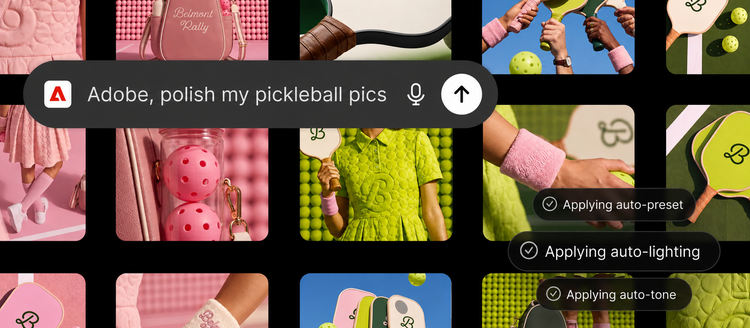
- Create high-quality creative for your campaign: Upload your campaign photos and describe the look you want. The Adobe plugin applies a consistent style across the entire set, saves the finished assets to Creative Cloud and transforms your strongest image into a product or packaging mockup.
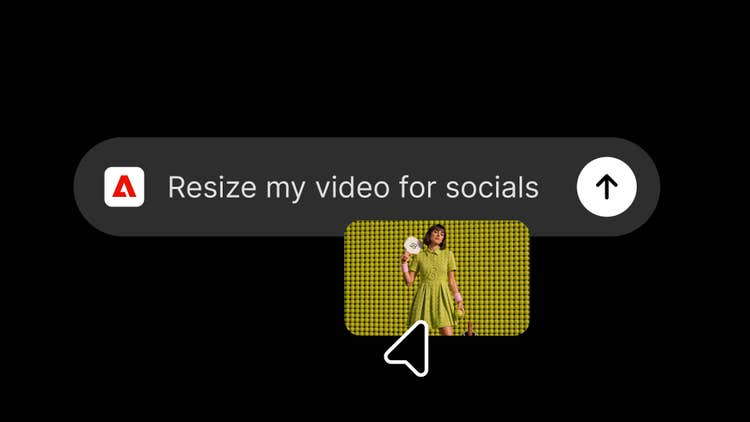
Turn long-form videos into eye-catching content for your favorite social media platforms.
Find the right template, customize it, then publish it anywhere.
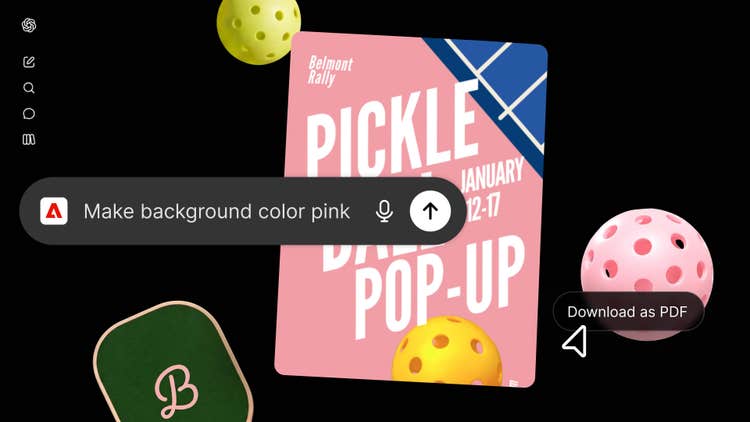
- Create a design and share it anywhere: Browse thousands of design templates with interactive previews, select the best one for your project, customize the copy and colors, then animate it for social media or convert it into a polished PDF that's ready to share or print.
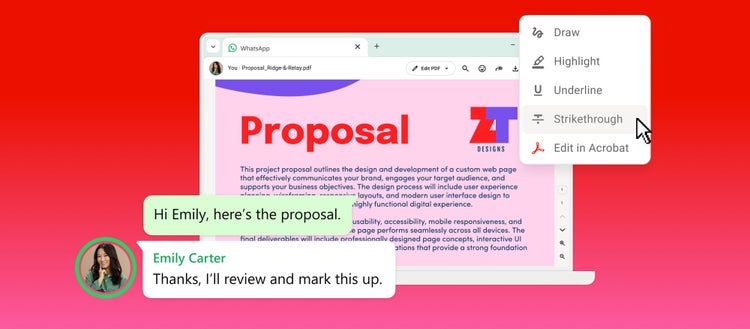
- Transform data into customer-ready documents: Upload a spreadsheet or dataset and describe the result you need. The Adobe plugin transforms your information into professionally formatted PDFs, including event badges, catalogs, infographics and other customer-ready documents.
What makes the Adobe plugin in ChatGPT different
Over the past few months, we’ve expanded access to Adobe’s tools across leading AI chatbot platforms, including ChatGPT, Claude and Copilot, with Slack and Gemini coming soon. The Adobe plugin in ChatGPT builds on that work by bringing the power of our creative and productivity apps together in one unified plugin that draws on the same tools and capabilities that power our own agents in Adobe apps. That means you're creating with the same trusted pro-grade tools that creative professionals and digital workers use every day, backed by Adobe's expansive creative and productivity app ecosystem, the only one with the breadth and depth to support end-to-end creative and document productivity workflows.
How to get started with the Adobe plugin in ChatGPT
- Open ChatGPT, go to Plugins, and add the Adobe plugin.
- Start a new chat, then type “@Adobe” and select Adobe from the menu or use the “+” button to choose it from your installed plugins.
- Continue as a guest or sign in with your Adobe account for an even richer experience.
You can start creating immediately as a guest using a broad set of Adobe tools. Sign in with your Adobe account to unlock generative capabilities, access your Creative Cloud files, and save your work across sessions, making it even easier to pick up where you left off in ChatGPT.
Push your ideas even further in Adobe’s apps
The Adobe plugin in ChatGPT is designed to meet you where you’re already working, making it easy to move from ideas to high-quality content inside ChatGPT. When your project calls for deeper creative exploration, advanced editing or pixel-level precision and control, Adobe’s apps are where you can push your ideas even further. For example, you might batch edit a set of product photos in ChatGPT with the Adobe plugin, then open your hero image in Photoshop to explore different creative directions, composite multiple assets, refine every detail with layers and masks, and perfect the final image.
Start creating with the Adobe plugin in ChatGPT today
The Adobe plugin in ChatGPT is available globally starting today on ChatGPT web and app. As we learn from how you're using the Adobe plugin, we'll continue evolving the experience with new creative and productivity tools and capabilities, helping you do even more in ChatGPT and other popular AI chatbot platforms.