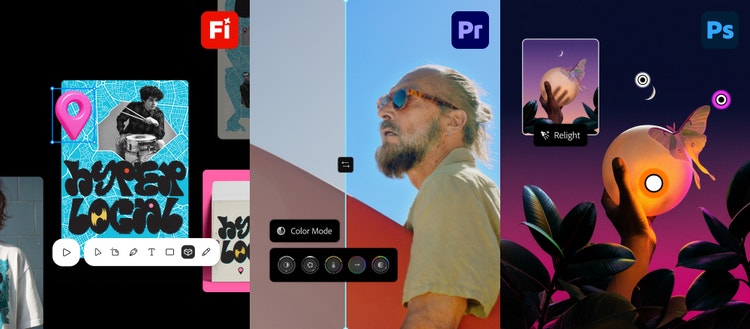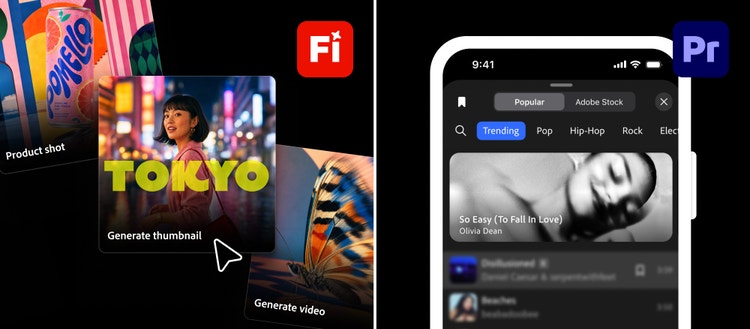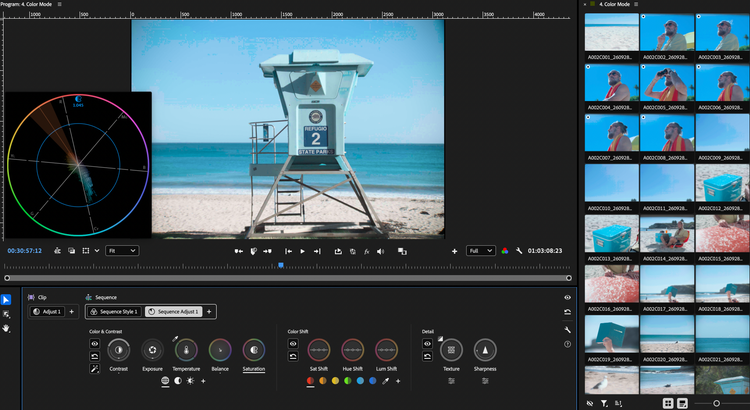
At MAX Sneaks we preview the creative future Adobe is building, bringing our ongoing investment in research and development to life. Each year, our researchers take the stage to share advances across creative disciplines, including video, audio, photography, 3D, imaging and design, giving you a first look at where creative technology is heading and sparking ideas for what you could create with it. It’s also a fun way for our creative community to get involved by joining in the discovery, reacting to our ideas, asking questions and telling us what they’d love their creative tools to do next.
Hosted by Terry Crews, this year’s session previews 10 research innovations that explore new ways to bring your creative vision to life. Grounded in decades of understanding how creators work, these projects take on real creative challenges and explore new ways to give people more confidence, precision and control.
This year, Sneaks are coming to life off the stage, too. For the first time, you can get hands-on with some of the projects in the new Adobe Labs Playground, where we’re opening early research previews and inviting the creative community to explore and share feedback.
Today’s breakthroughs fuel tomorrow’s creative essentials. The research and innovation showcased at Sneaks powers the next generation of Adobe tools, helping creators stay ahead as technology evolves and the demands of their work change.
Directing the future of video
Adobe is shaping the future of video creation, exploring new ways to make intelligent edits across shots, direct scenes in real time and control when moments happen. These advances give creators more power and precision to bring their vision to life.
Project Scene Sweep
Editing video across multiple shots can mean repeating the same change again and again. Project Scene Sweep understands characters, locations and scenes across a sequence, helping creators apply an edit consistently across cuts and camera angles. Make a creative decision once, then see it carried across a whole scene.
Project Screen Test
Every great story starts with a character. Project Screen Test lets creators develop a fictional character’s look, voice and personality, then have a natural language dialogue with that character to explore who they are and how they might respond in different scenes. It explores how conversation can make character development a more intuitive, expressive part of the storytelling process.
Project Live Set
What if you could direct a video while it’s still playing? Project Live Set lets creators change a subject, transform an environment or redirect the camera as a scene continues, making video feel like a creative canvas that responds in the moment.
Project On Cue
A video prompt can describe what happens, but what about when? Project On Cue lets creators direct the timing of an action, like a flash of light or another event, in generated video. An editable timing signal can be drawn by hand or extracted from a video or piece of music, making it possible to bring motion and sound together on cue.
A new way to shape sound
The right sound can transform a scene, but isolating a sound from a finished mix, or finding exactly the variation you need, can be difficult. Adobe is exploring more precise ways to work with sound, giving creators the freedom to isolate, shape and direct it to match their vision.
Project Sound Bender
Finding the right sound is one thing. Making it move and evolve with your story is another. Project Sound Bender lets creators describe a sound and pull it out of a finished mix, then explore variations on an interactive canvas. Creators can shape a sound in real time, match its movement to a video or start from a description and create something new.
Bringing new intelligence to images and design
Adobe is exploring how creative tools can better understand images, design elements and the edits creators make. Brushstrokes, gestures and direct manipulation translate creative intent into precise actions, giving people more intuitive ways to shape their work while keeping their judgment and craft at the center.
Project Deep Brush
What if your brush understood the image you were painting? Project Deep Brush uses AI to understand an image’s shape, color and lighting, unlocking new ways to paint and edit. Brushstrokes can follow the contours of a surface, colors can be changed while preserving natural shadows, and light can be painted directly into a scene.
Project Sight Span
A single image can be the beginning of an entire world. Project Sight Span transforms an image into a navigable environment that creators can step inside and explore, finding new angles and composing shots beyond the original frame.
Project Hands On
Sometimes the best way to edit an image is to reach in and make a change. Project Hands On uses AI to understand what’s in an image and create controls directly on the canvas so creators can manipulate elements of a scene by hand.
Project Rinse Repeat
Once you’ve made an edit you like, why repeat every step to apply it elsewhere in the image? Project Rinse Repeat captures the edits you’ve made in one part of an image and applies them to another, intelligently adapting them to the new area. Because the edits are recreated with native Photoshop tools, they remain editable and ready for you to refine.
Project Link Up
A simple drag can say more than “put this here.” Project Link Up explores how a creator’s gestures can express intent and bring design elements together. Drag a car into an illustrated parking space, for example, and the project adapts its perspective, scale and style to fit the scene. The result is editable vector artwork you can keep refining.
Explore more with Adobe Labs
Sneaks is one way we share the innovations shaping the future of Adobe’s creative tools.
This year at MAX, Adobe Labs returns as an expanded destination where you can follow that research throughout the year and take part in it.
Adobe Labs brings together research and perspectives on how creative work is changing, real workflows from creative professionals and emerging innovations from teams across Adobe. IIt complements the Adobe Research site, where you can explore the scientific discoveries and technology advances behind many of Adobe’s innovations.
Within Adobe Labs, the new Playground lets you try select early innovations yourself. You can explore research previews of two of this year’s Sneaks, Project Deep Brush and Project Hands On, and preview Project Custom Filters, a new capability we’re exploring for Photoshop. Reach out to labs@adobe.com to tell us what’s useful, what surprises you and what you’d like to see next. Your feedback helps guide how these ideas evolve.
Sneaks is at its best when you get involved. When you tell us what you’re trying to make and what gets in your way, you help our researchers and engineers build tools that make a difference in your work and give you room to try ideas you might not have tackled before. That’s what “Dream big, create bigger” means to us.