Whether you're generating and editing video in Firefly, grading color or editing a complex sequence in Premiere, or collaborating across a distributed team in Frame.io — Adobe’s new wave of video innovations will help advance how you make, edit and share compelling video.
Among the powerful new features introduced today are:
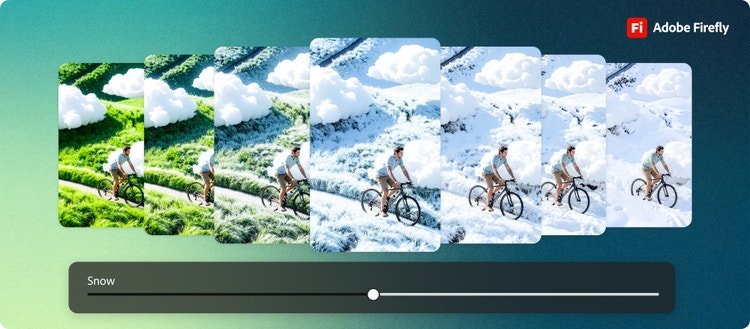
- New capabilities in the Firefly Video Editor and the addition of the powerful Kling 3.0 and Kling 3.0 Omni video models in Adobe Firefly.
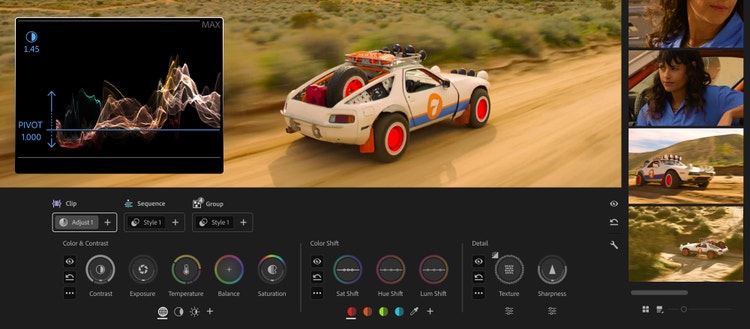
- The introduction of brand-new Color Mode in Premiere (beta), a first-of-its-kind color grading experience built from the ground up specifically for editors.
- The debut of Frame.io Drive, a new desktop application that lets you work with Frame.io projects as if they’re stored locally.
These advancements span our creative portfolio and reflect our commitment to empowering everyone to create.
It's never been a better time to be a video creator with Adobe Firefly
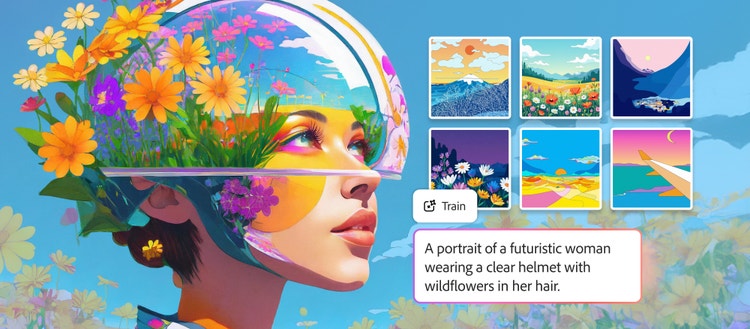
Firefly is Adobe's all-in-one AI creative studio, with 30+ industry-leading models and world-class editing tools — and today, it gets significantly more powerful for video.
Firefly Video Editor: Generate, edit, and finish, all in one place
Firefly Video Editor is the browser-based editor where your Firefly generations become finished stories. Combine generated clips, music, and your own footage in a lightweight, multi-track timeline, edit by timeline or by text, and export in the format your story needs. We've continued to build the experience with your feedback and today, whether you're generating content directly in Firefly Video Editor or uploading your own footage, we’re launching new capabilities that make it easier than ever to deliver studio-quality results.
- Audio upgrades are now available directly inside the Firefly Video Editor. They include Enhance Speech, the award-winning feature that automatically cleans up dialogue, already loved by creators who use Premiere and Podcast. With Firefly’s audio innovations, you can manage noise and reverb and balance levels across speech, music, and ambience to create a clear, natural mix. Whether you're cleaning up a talking-head video filmed in a noisy room, removing background music from a social clip, or polishing a vlog recorded outdoors, enhanced audio gives you precise control over your sound, all in a few clicks.
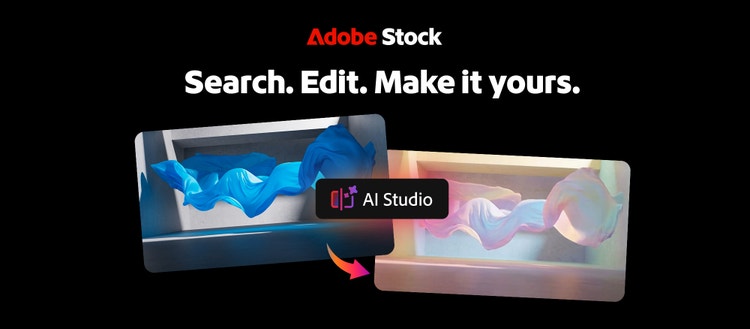
- Adobe Stock is now integrated directly into the Firefly Video Editor. Access over 800 million licensed assets, including video, images, audio, and sound effects, without leaving your workflow. Generate new content, upload your own, and pull from Stock, all in one place.
These upgrades join recent innovations like Quick Cut, which takes you from raw footage to a structured first cut in seconds, making Firefly Video Editor the place to take your video from idea all the way through to finished story. Firefly also integrates seamlessly with Adobe Premiere. Visualize your ideas, create storyboards or generate b-roll in Firefly Boards. When you're ready to move from ideation to production, send images and videos directly into your Premiere project on desktop, without having to manually download and import.
Kling 3.0 and Kling 3.0 Omni are now in Firefly
Kling 3.0 is a powerful, all-purpose AI video model that focuses on smart storyboarding and audio-visual sync. It’s ideal for fast, high-quality video production. Kling 3.0 Omni is the more advanced version, designed for professional control and consistency, delivering video character subjects, stronger consistency, and the ability to specify each shot's duration, angle, and camera movement. They join more than 30 industry-leading models already available in Firefly, including Nano Banana 2, Veo 3.1 and Runway Gen-4.5, giving creators more choice than ever in how they generate video — all in one place.
Learn more about all that’s new in Firefly here.
And while today's updates make every step of video creation more powerful, we're also working on something that changes the steps themselves. Firefly AI Assistant, a new assistant powered by Adobe’s creative agent and coming soon to the Firefly app, introduces a new way to create with power and precision of Adobe’s creative suite. Describe the outcome you want with your own words, and the assistant will orchestrate and execute complex, multi-step workflows across Adobe's Creative Cloud apps — including Premiere, Firefly, Photoshop, Lightroom, Express and more — to get you there. Learn more here.
The world's leading media and entertainment companies are also putting Firefly to work at scale. With Adobe Firefly Foundry, studios and creators can tune Firefly's commercially safe AI models to their unique brand and franchise content, accelerating storytelling from ideation through post-production without compromising creative control. Learn more about Adobe Firefly Foundry here.
Color Mode: A landmark color-grading experience built from the ground up for editors
Editing video used to be defined by the cut. These days, if you're an editor, you're probably doing everything yourself from end to end, including the hardest part of the workflow: color. For too long, proper color grading meant one of two things: hand it off to a professional colorist or fight your way through applications that pull you out of your edit entirely and force you to study out-of-reach pro-colorist tools that were never designed for you.
To solve that pain, today we’re releasing Color Mode in Premiere (beta), a first-of-its-kind color-grading experience purpose-built for the way editors actually think and work. For the first time, professional color tools meet you where you are, making color grading feel like a natural, intuitive extension of the edit itself.
With Color Mode your video is always front and center. You use controls that respond the way you expect them to and a system that grows with your ambition. Whether you want to make a few quick adjustments or go as deep as the footage demands, Color Mode meets you there. Editors who have used Color Mode experience a new sensation — they actually enjoy color grading! The experience invites curiosity, experimentation, and play, rather than demanding expertise before you can make a single creative decision.
For the first time, editors have full visibility into how color flows through their project at every level. Every decision is visible, every grade is organized in the way you think about it, and the relationship between your work and your footage is always exactly what you intended.
Color Mode was built in direct collaboration with hundreds of working editors through an extensive private beta, and it enters public beta today for all Premiere subscribers, with general availability later in 2026. Dive in today.
Beyond Color Mode, the new Premiere 26.2 delivers a range of improvements designed to speed up your workflows, including new Film Impact–powered effects and transitions, Object Masking with Sharp and Smooth edge modes, and a searchable Sequence Index panel for navigating complex timelines. We've also made relinking offline media faster and smarter, with improved path tracking that works across drives and platforms. Learn more about the latest version of Premiere 26.2 here.
Color improvements in Firefly
Premiere isn't the only place we're bringing color improvements to video workflows. The Firefly Video Editor now also includes simple color adjustment controls — fine-tune exposure, contrast, saturation, and temperature directly inside the editor with intuitive sliders and one-click looks, so your generated and uploaded footage always looks its best before you export.
Create and refine mattes faster than ever before in After Effects
After Effects, our industry-leading motion graphics software, is making rotoscoping and masking dramatically faster with the all-new AI-powered Object Matte. Create accurate mattes of moving subjects with a simple hover and click, refine with the Quick Selection brush in just a few strokes, and use the Refine Edge tool to perfect even the most challenging areas — like hair and fine detail. Learn more about After Effects 26.2 here.
What's next: pushing generative video further
Adobe’s research teams are always exploring new ways to push video innovation forward, and recently previewed MotionStream, highlighting new creative controls for creative professionals to use as they shape and refine generative video.
Frame.io Drive keeps creative teams in sync
Modern video production is more distributed and more demanding than ever. More files, more contributors, more versions — and for teams working across locations, the infrastructure holding it all together becomes as important as the creative work itself.
Today, we’re introducing Frame.io Drive, a new desktop application that lets you mount your Frame.io projects directly to your computer and work with your media as if it's stored locally. No more waiting for downloads or syncing.
With Frame.io Drive, editors, designers, and motion designers can all work from the same shared project the moment they need it — whether they’re in Premiere, Photoshop, or After Effects. Say goodbye to shipped drives, transfer links or separate storage systems. Your media streams in real time as you need it, with local caching that keeps performance fast even with the largest files. Your whole team works from one shared source of truth, and your content lives securely within Frame.io, never shared with third parties.
Frame.io Drive and Mounted Storage will roll out in phases. Access for Enterprise customers begins today and will continue over the coming weeks. Accounts on all other Frame.io plans will follow shortly thereafter. Join the waitlist now and you will be notified when your account is ready.
Empowering every video creator
Adobe's mission is to empower everyone to create. Wherever you are in your creative journey, and whatever kind of video you make, Adobe is built for you.