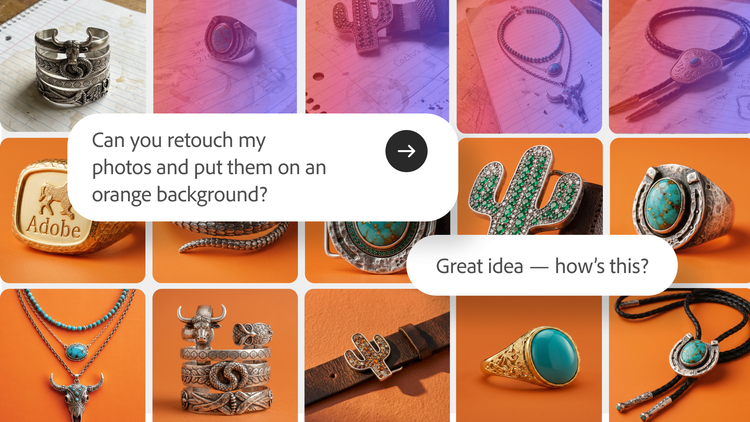
The moment your big, creative idea suddenly appears is also the moment that things get complicated. You’re bouncing between workspaces, apps, browser tabs, and LLM models with every move stalling your creative flow.
That's why we built Adobe Firefly, your all-in-one creative AI studio, where you can bring any idea to life. Firefly gives you the best Adobe tools across image, video, audio, and design, alongside industry-leading models from Google, ElevenLabs, Kling AI, Luma AI, OpenAI, Runway and more.
In June we unveiled big innovations in Firefly, including more creative skills in Firefly AI Assistant, and an early release of features like Elements that help you save the characters, locations, and objects at the heart of your work and carry them across every project. Today, we’re excited to share that Firefly’s audio capabilities are now generally available for all.
Studio-quality sound: Generate music, speech & sound effects
Music, voiceover, and sound effects are essential to telling a story that can grab your audience’s attention. In a recent survey* of video creators, musicians, and marketers, Berklee College of Music found that nearly four in five (80 percent) post video content daily or several times a week with every respondent reporting that they use music in their videos. Sound is usually the last thing you add and the first thing people notice. It's also where creative flow tends to get disrupted, sending you off to specialized tools and separate services, then back again to stitch it all together.
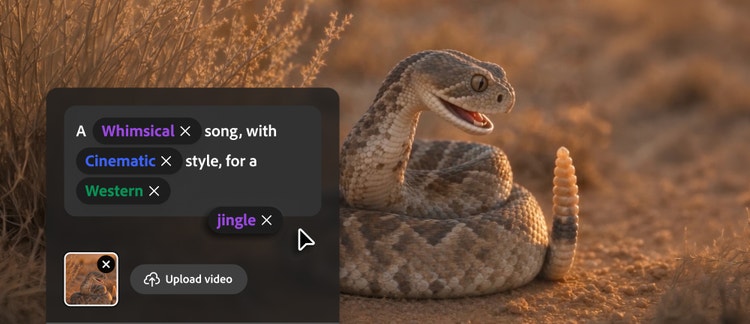
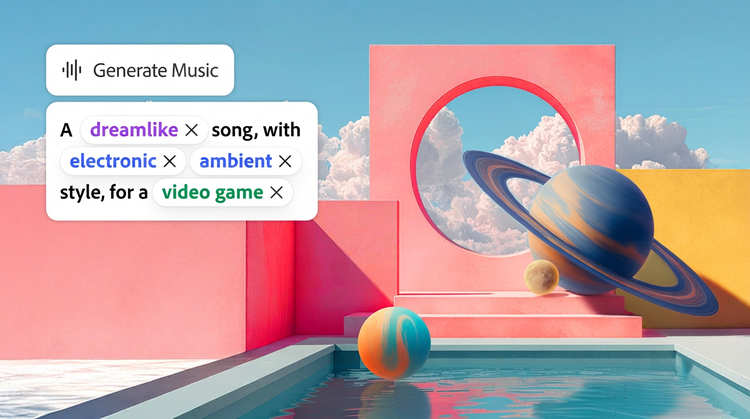
Today, Firefly's popular audio tools — Generate Music, Generate Speech, and Generate Sound Effects — are now broadly available, bringing commercially safe AI audio to your creative workflows, from social content and live vlogs to short films, product tutorials, and podcast clips:
- Generate Music, powered by the Firefly Music Model, creates universally licensed original tracks tuned to your video's length and mood, so your music can go wherever your content does without worrying about takedowns.
- Generate Speech, powered by the Firefly Speech Model with the option to use ElevenLabs, turns a script into clear, natural voiceovers with control over voice, pacing and emotion.
- Generate Sound Effects, powered by the Firefly Audio Model, creates custom sounds that match the action, timing and energy of your content.
Generate Music gives creators a fast, worry-free way to get an original track that is safe for commercial use and fits their content. For Esther Rehema, a fashion, beauty and lifestyle creator, that means spending less time searching for music and more time creating. “Going back to school and trying to stay consistent as a content creator can get really overwhelming. I love that Adobe Firefly has made my creative process so much easier,” says Rehema. “Being able to find music that is safe for commercial use and fits my content is such a game changer. What used to take me hours and hours of searching for the right song can now take seconds.”
For Madeline Salazar, a creator known for combining Photoshop, Firefly and special effects in her short-form videos, creating for brands means finding the right music and the rights that come with it. “When I am making content for a brand, there is always the complication of licensing the background music. Using Generate Music I am able to create a soundtrack that is unique to the video I'm making, and it gives me peace of mind because I know the music is safe for commercial use,” says Salazar. “When I deliver something to a client, I’m putting my name behind the entire project, so being able to create original music for the piece, and feel confident about handing it over, is really important to me.”
This is audio built for real production: commercially safe and ready for finished work. No separate subscription or time spent hunting for a track you're allowed to use. Whatever you're creating, everything you need for studio-quality sound is now right inside Adobe Firefly.
Firefly AI Assistant gets smarter, and now you can try it for free
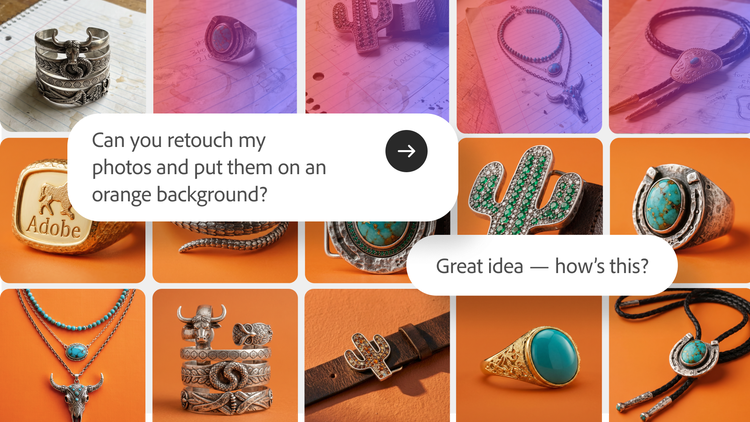
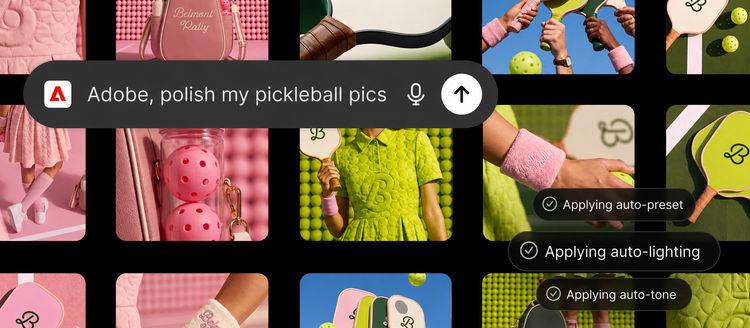
When we introduced Firefly AI Assistant (beta) earlier this year, we shared our vision for a fundamentally new way to create: one where you describe what you want to make, and your AI creative partner helps bring it to life. We’ve continued to make Firefly AI Assistant even more useful with new creative skills and tools that help you move from idea to finished content faster — like Create Storyboard and Create Brand Kit, which are among the most-used Firefly AI Assistant skills. Whether you're turning a product into a full set of branded mockups, generating a storyboard before production, or batch editing dozens of images at once, Firefly AI Assistant helps you spend less time managing tools and more time getting to the outcome you want.
To help everyone experience the magic of Firefly AI Assistant, we're introducing a free experience with daily generations that lets you start creating immediately.
More choice with industry-leading AI models, right inside Firefly
The more you explore Firefly, the more choice you have in how you create using top models from across the industry. Today, we're expanding that choice with the addition of Gemini Omni Flash which joins other models from Google, Kling AI, Luma AI, OpenAI and Runway giving you more flexibility in how you develop your ideas. Gemini Omni Flash lets you prompt with video, audio and image inputs alongside text, so a rough idea becomes a storyboarded first cut quickly.
Start creating with the new capabilities in Adobe Firefly today. We can't wait to see what you make!
*In Sync: Music and Video 2026 — Creators, Musicians, and the Age of AI Published by Berklee Emerging Artistic Technology Lab with support from Adobe. Adobe provided support for this study but did not control respondent recruitment, survey responses, analysis, or conclusions. Berklee BEATL retained editorial responsibility for the report.