Creators constantly tell me that the hardest part of their work isn't coming up with ideas, it's everything that gets in the way of finishing them: the tab-switching, tool-jumping, model-switching and all those other little moments when momentum slips away.
That's why we built Firefly as an all-in-one creative AI studio. And today we’re introducing new capabilities that remove even more of the friction between imagination and finished work. Firefly AI Assistant (beta), powered by Adobe’s creative agent, now includes new creative skills, tools and personalization capabilities that help it understand your intent and work the way you do. We're also previewing an upgraded Firefly creative AI studio experience that brings every stage of creative work together from ideation to creation to production.
Whether you're building a brand from scratch, publishing daily content or developing your next video project, today's updates are designed to help you stay in your creative flow from the first spark of inspiration to the final result.
Firefly AI Assistant gets smarter, more personal and more powerful
When we launched the public beta of Firefly AI Assistant, we shared our vision for a fundamentally new way to create — one where you start with an idea, describe what you want and shape it as it comes together with the help of the assistant, helping make creative expression and professional-quality content creation more accessible to more people.
Today, we're introducing new creative skills and tools purpose-built for social creators and solopreneurs, along with additional enhancements that help make Firefly AI Assistant more personalized and context-aware over time.
New creative skills and tools include:
- Brand kit creation: Describe your style, brand name and color palette, and Firefly AI Assistant generates a complete logo, brand identity and color palette, ready to apply across everything you make.
- Short product video creation: Transform product photos into polished short-form video content with premium lighting, motion, audio and brand styling.
- Create storyboards & generate video from storyboards: Visualize, sequence and develop ideas before production begins, then generate video directly from your storyboard.
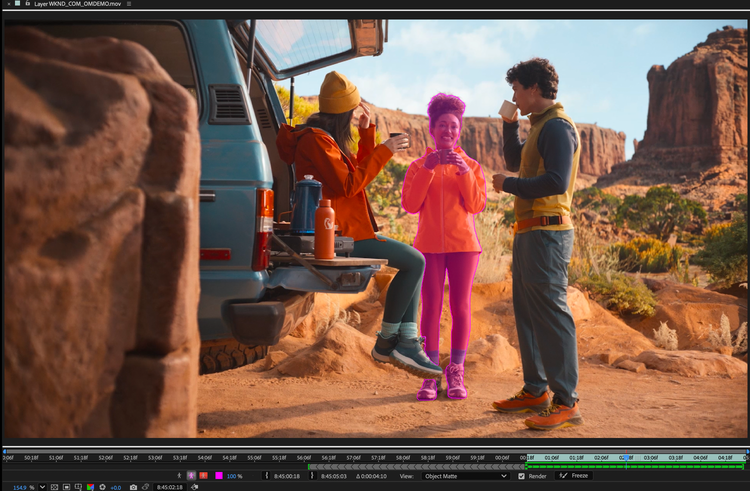
- Quick Cut: Automatically assemble footage into a polished first cut, helping you move from raw clips to a structured edit you can refine and shape.
We’re also introducing new capabilities that help make Firefly AI Assistant more adaptable, personalized and context-aware. You can now find assets using natural language, set workflow preferences so the assistant works the way you do, and invite collaborators into the creative process.
Today’s upgrades unlock powerful new workflows:
- You're launching a new product and need everything from branding to promotional content. Describe your vision, generate a complete brand identity, create marketing assets, transform product photography into social-ready video, and prepare variations for different platforms — all within a single workflow, ready to publish in minutes.
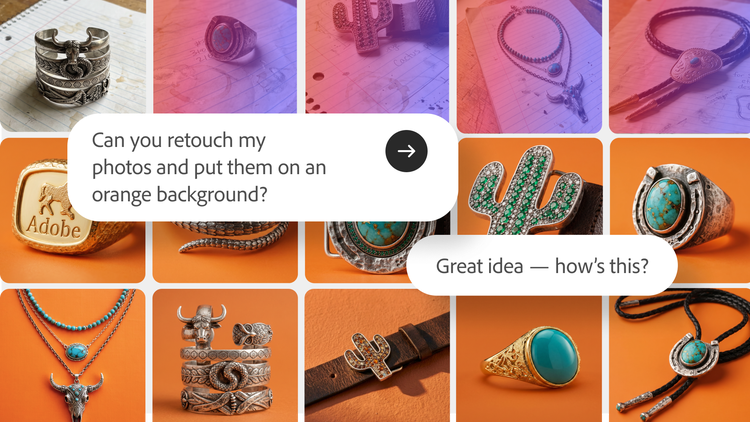
- You're managing content across multiple channels. Firefly AI Assistant can help you easily search across all of your saved images, batch edit lifestyle shots, maintain a consistent visual aesthetic across all of your assets, and adapt content for different formats.
Firefly creative AI studio: from idea to finished content in one seamless workflow
Today, we're also previewing an upgraded Firefly creative AI studio experience that connects generation and editing in one place, so you can seamlessly move projects from ideation to creation to production without breaking your flow.
The new Firefly experience, now in private beta, is designed to give you persistent context, reusable assets and organized workflows so you can maintain continuity, style and your creative vision across every iteration and format, at every stage of production:
- Elements: Save characters, locations and objects you've already created and reuse them across generations, helping maintain consistency as stories, campaigns and projects evolve. Elements makes it easier to build on previous work instead of starting from scratch.
- Projects: Keep your assets, generations and creative context together in one place, making it easy to pick up where you left off and build on previous work.
Here’s what it looks like in practice:
- You’re creating an episodic travel series. Your assets and creative history remain connected across sessions, while recurring characters, locations and visual motifs can be reused throughout the project. Instead of rebuilding context every time you begin a new episode, you can continue creating from where you left off.
- You're growing a brand campaign across channels. Keep campaign assets, product imagery, brand elements and generations organized in one place, making it easy to develop new content, maintain consistency and adapt creative for different platforms.
- You're developing a music video. Experiment with visual styles, build moodboards, save recurring characters and imagery and bring your strongest concepts directly into a timeline where you can sequence, refine and shape the final piece.
The upgraded Firefly creative AI studio experience — including the unified generation and editing space, as well as Elements and Projects features — is available in private beta through a waitlist: http://firefly.adobe.com/studio.
Creating what's next
No matter how you choose to create, Firefly helps you keep your creative vision and direction at the center of the process. For some creators, that means describing what you want and letting Firefly AI Assistant help orchestrate the work, moving from idea to finished content faster than ever. For others, it means diving deep into the creative process: generating, refining, editing and assembling every detail, all within the new Firefly studio space.
Your ideas deserve to make it all the way from imagination to finished work without losing what makes them uniquely yours. That's the future we're building toward with Firefly.
The excitement around Firefly is fueling our next move: bringing that same creative agent directly into the apps creative professionals rely on most. Today we're excited to announce that AI Assistant, powered by our creative agent, is now powering AI Assistant in public beta across Premiere, Photoshop, Illustrator, InDesign and Frame.io so creatives can start exploring and sharing feedback. Read more here.
We're excited to keep building this with you. Explore what's new in Adobe Firefly today.