Like any large company, Adobe’s critical information lives in research reports, sales materials, call transcripts, policy handbooks, and tens of thousands of other documents spread across hundreds of teams and systems. The information is there but finding it, extracting it, and turning it into something useful still takes considerable time and manual effort.
That’s especially true in finance, where we need to understand the nuances in our contracts before we act on anything. My team needs to know exactly what we agreed to, with whom, and what it means for our business. And we need to be able to trace that information back to the source. Now multiply that challenge across tens of thousands of contracts. This work has to happen at enormous scale and speed, without sacrificing accuracy or judgment.
Introducing knowledge base and analyzer in Acrobat Studio
That’s why we worked with our product teams to build two new capabilities into Acrobat Studio for Enterprise: Knowledge Base and Analyzer.
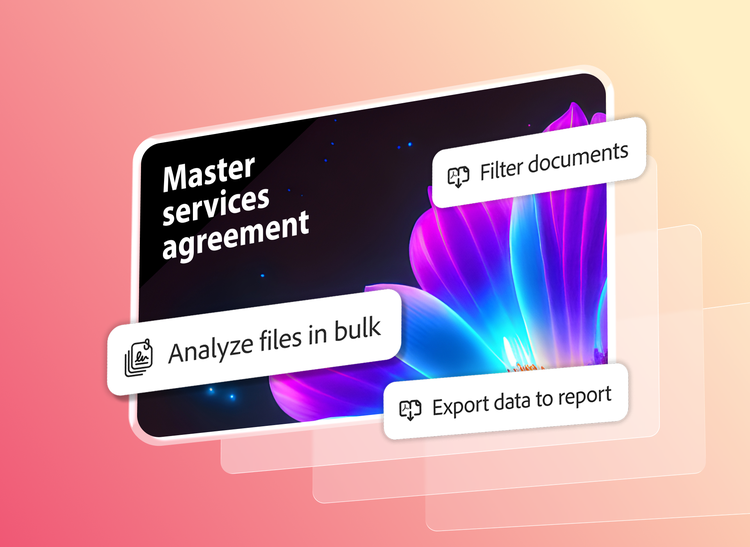
Acrobat has become one of the most trusted solutions for helping people and teams work more productively with PDFs, weblinks, and other documents. Now, with these new AI-powered capabilities, we’re helping teams do that at scale: Knowledge Base enables teams to ask questions across massive collections of documents and get accurate, conversational answers in seconds, while Analyzer helps them extract structured information from across thousands of contracts, vendor agreements, statements of work, compliance reports, and other business documents.
And, just as important, the results are precise and traceable. Both Knowledge Base and Analyzer provide citations to the exact source document, page, and evidence behind an answer or extracted value. We built this on our 30+ years of document understanding technology, plus quality time spent learning exactly what these workflows needed. That combination delivers high-quality results and precise attribution.
It’s this attribution that lets users build real trust in the AI, and confidence that the response is accurate and grounded in truth, not just something that sounds plausible. And that’s the trust that keeps our teams coming back. We’re using both capabilities inside Adobe today, across everything from customer support and sales enablement to accounting, financial planning and analysis (FP&A) and contract renewals. The results we’re seeing show what’s possible when the information inside documents becomes easier to access and use.
Finding answers across everything we know
One of the simplest problems to describe is also one of the most common: someone needs an answer, and it’s buried in a sea of files and documents. My own teams live this within the go-to-market process, but it’s a challenge that shows up across the company.
Our internal research library is another good example. With Knowledge Base, we made more than 6,000 research reports instantly accessible across everyday workflows. In the first month alone, teams asked more than 1,000 questions, and research usage increased, helping product teams make faster, more informed decisions.
Instead of navigating a large research library and reading through files to find a specific insight, employees can ask a question and, within seconds, get a concise answer cited from policies, procedures, rules and regulations — not hallucinations. The data returns a link directly to the sources of truth internally, not the Internet so people can quickly check the underlying data and understand the context for themselves.
Speeding up the contract review process
While Knowledge Base helps teams find answers across our documents, Analyzer tackles a different problem: extracting specific information from large sets of business documents and turning it into structured, actionable data.
This is especially relevant in finance and accounting, where contracts contain information that affect our financial reporting. The challenge is real industry-wide: 46 percent of teams struggle to locate the right version of contracts (according to research by the Corporate Legal Operations Consortium (CLOC). Even when they can, it takes an average of 45 minutes to find the contract and another 84 minutes to find the specific clause inside it. And around 65 percent of employees are still doing this work in spreadsheets and emails.
At Adobe, we’re using Analyzer to significantly reduce the contract review time across our portfolio by orders of magnitude. Today, our revenue assurance team uses Analyzer to review roughly 18,000 customer contracts a year to identify non-standard terms such as termination-for-convenience and price-hold provisions, among others. Instead of relying on manual review, the team can now review 100 percent of the contract population in Analyzer in record time. The extracted terms from Analyzer also contribute to a broader view of customer risk, helping teams identify accounts that may require attention before renewal.
This same data is used by our finance team to credit bookings to our sales representatives. In addition, each quarter, my team reviews contracts details and reconciles them against what’s in our Customer Relationship Management (CRM) database. Analyzer identifies those discrepancies automatically. As a result, thousands of contracts per quarter no longer need manual review and our people are free to spend their time on more strategic work.
Beyond contract terms and quarterly reconciliation work, the Deal Desk team uses Analyzer to find which non-standard terms show up often enough, across roughly 7,500 contracts a year, to turn into standard, self-service language for the sales team.
And in Business Model Strategy, Analyzer automatically detects new contracts for specific deal types and bulk-extracts the key terms into a program database, across roughly 20,000 contracts a year, removing their reliance on the individual account teams to flag such deals manually. This saves the team about 4,000 hours of manual work per year.
Revenue assurance, finance, sales and strategy teams each had different problems, but in every case, people spent hours manually hunting through contracts for answers Analyzer now surfaces in minutes. With Knowledge Base and Analyzer in Acrobat Studio, this manual work now happens at a scale that simply wasn’t possible before.
What we’ve learned as Customer Zero about trust
Using our own organization as Customer Zero is an important part of how we build and validate technology at Adobe. It forces us to start with real operational problems and test solutions against the complexity and scale of an enterprise environment.
For enterprises using AI, speed must come with verifiability. AI moving fast across thousands of documents only holds up at scale if people can verify whether the answer is true or a hallucination. Every answer from Knowledge Base and Analyzer traces back to its source while every decision still comes from someone accountable for it.
That’s the value we’ve seen firsthand. Acrobat Studio for Enterprise turns document intelligence into something teams can use at a level of speed, scale and trust no team could reach manually. If you’re interested in bringing this to your company, learn more at Acrobat Studio for Enterprise.