As filmmakers gather for the 2026 Sundance Film Festival — where 85 percent of premiering films were made using Adobe Creative Cloud — Adobe continues to power the workflows editors rely on to bring stories to screen. Today’s updates to Premiere and After Effects build on that essential role, giving editors and motion designers faster, more intuitive ways to work while maintaining creative flow and intent: Premiere’s AI-powered Object Mask makes it easier than ever to create, refine, and track precise masks of complex moving subjects with a simple hover and click, while redesigned shape masks that track up to 20× faster turn masking into a creative superpower. Storyboarding, filling b-roll gaps and exploring new concepts collaboratively is also now even more streamlined with the new Firefly Boards importing into Premiere. Across After Effects, new motion design capabilities and performance improvements help you build, animate, and refine your work with greater speed and control.
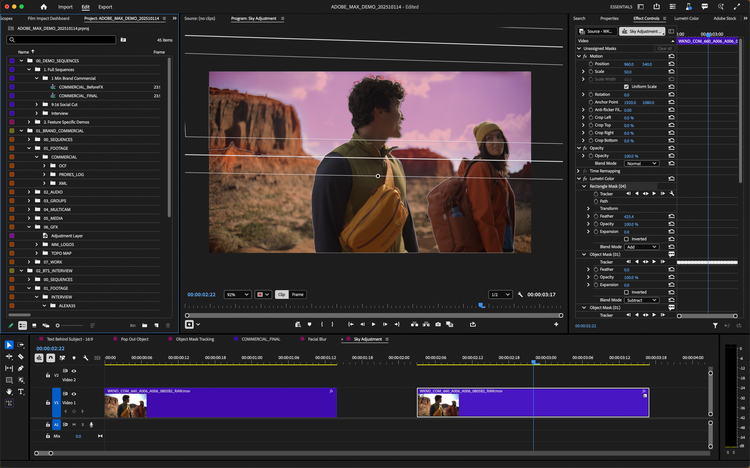
These updates open entirely new ways to tell stronger stories with your effects: relight a subject, blur a background, isolate a color grade, or design custom effects in seconds. And because masks are now faster, more flexible, and more accurate, they become the building blocks of your creativity instead of roadblocks to your flow — especially when used alongside the over 90 effects, transitions, and animations we recently added to Premiere.
And there's much more — take a look at everything new in Premiere and After Effects.
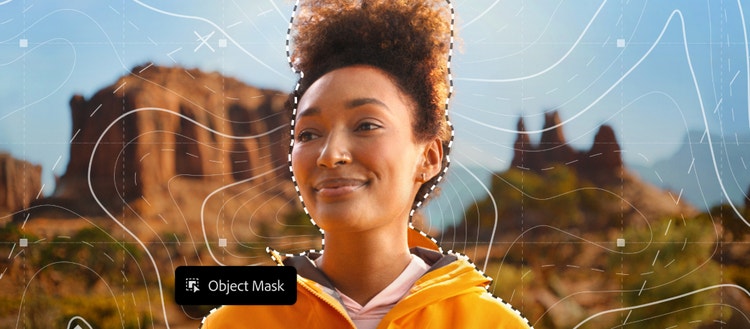
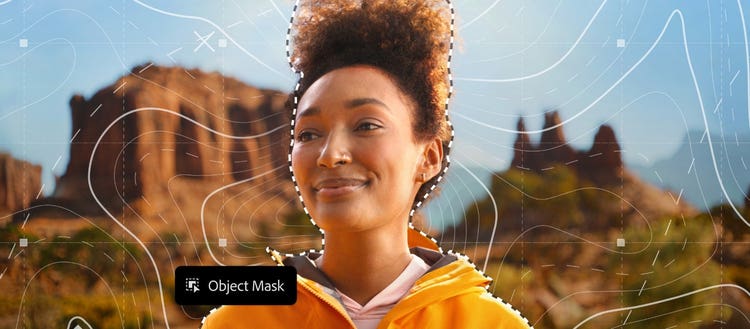
Create perfect masks of complex moving objects — just hover and click.
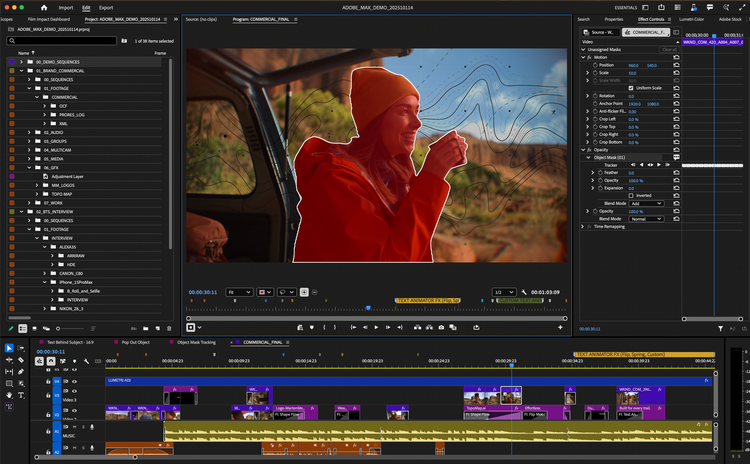
With the new AI-powered Object Mask, creating perfect masks of complex moving subjects has never been easier. Simply hover and click to generate precise masks in seconds. And with colored visual overlays, powerful mask refinement tools, and fast tracking, it’s more efficient and enjoyable than ever to create your own unique effects.
From the toolbar, you can quickly create an Object Mask, allowing you to mask and track any person or object moving through your clip with ease. As you hover across your frame, visual overlays snap into place, identifying the person or object you want to mask. You can choose from six different colored overlays or a black-and-white alpha view to preview your Object Mask.
Additionally, you can add or subtract areas from the Object Mask using fast lasso and rectangular editing tools and easily adjust the mask with feathering and resizing controls. The feather and expansion controls allow you to soften and resize the Object Mask, ensuring a perfect fit. Bottom line: less fiddling, more creating.
Object Mask uses a new assistive AI model from Adobe. It’s entirely on-device. And like all Adobe AI tools and models, we never use customer data to train them.
Stylize your videos with redesigned Shape Masks that track faster
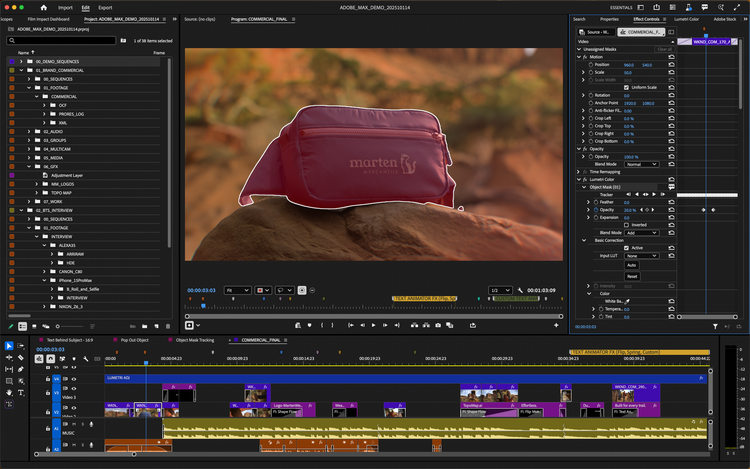
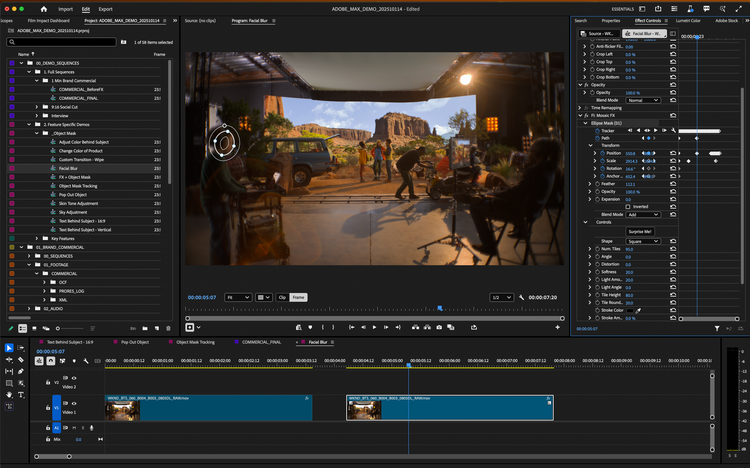
The Shape Masks you’ve been using for years just got a serious glow-up in Premiere. The redesigned Ellipse, Rectangle, and Pen masks offer more creative control, allowing you to work with effects such as blurring faces, relighting sections of your frame, and more. And with tracking that’s up to 20x faster than previous versions of Premiere, you’ll spend less time watching the status bar.
Creating Shape Masks is now easier and faster with the ability to generate them directly from the toolbar, just like Object Mask. You can resize, move, rotate, and feather masks with improved creative controls in your program monitor, giving you greater precision and flexibility. The redesigned Bezier curves ensure smoother mask customization, while the option to choose colored overlays allows you to preview your mask effectively. You can add, subtract, and mix multiple masks together using different blend modes, enhancing your creative possibilities.
Bi-directional tracking allows you to find the perfect starting frame to track forward and backward with just one click. And 3D perspective tracking lets you anchor your masks to the surfaces of screens, walls, rotating faces, or anything you want. You can even see exactly how fast your mask is tracking in frames-per-second.
The community feedback asked for live tracking previews. We’ve delivered. Watch the playback of your mask as it tracks to visually identify areas that may need additional refinement once tracking completes.
Sometimes a track is almost perfect, but it needs a few tweaks. With our new “Frame” track editing mode, you don’t need to manually adjust every single tracked keyframe. Just make your changes, and Premiere will effortlessly combine the corrections with the tracked keyframes, reducing dozens of manual adjustments to just two or three.
Firefly Boards is an AI-first space where you can explore, iterate, and collaborate in real time. In pre-production, Board’s ideation tools make it easier to find and communicate the right visual style and composition. You can generate assets for pitches, treatments and storyboards without leaving the board. In post-production, you can lay out scenes and ideas to get a better understanding of what you’ve shot. And if it turns out a specific shot is missing, or to try out effects, you can generate media right within your project’s context.
https://www.youtube.com/watch?v=98K49EVyjdw
With this update, we’re making it easier to get media from Firefly Boards to Premiere. With a click, one or multiple assets get sent directly into your current Premiere project. In Premiere, you can use all the professional editing tools your used to, blending your generated asset seamlessly into your project.
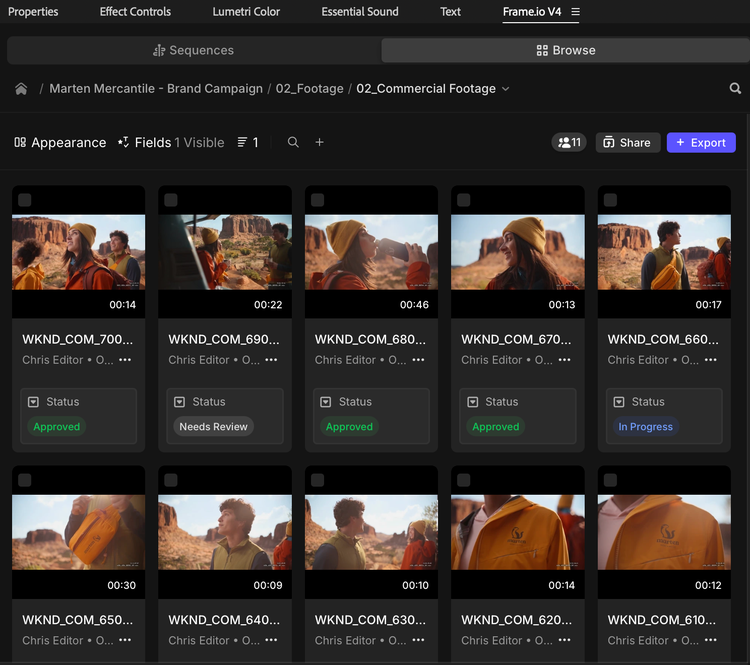
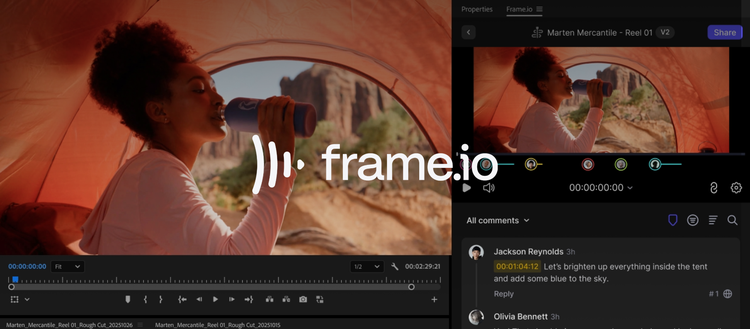
The new Frame.io V4 panel, now right inside Premiere (beta).
Collaboration just got a serious upgrade. The new Frame.io V4 panel keeps you in the edit while bringing in comments, media, and versioning. Ingest assets, share cuts, and sync notes without ever leaving Premiere.
Need to export a sequence? Versions automatically stack in Frame.io. Feedback shows up right on your timeline. Notes stay live as you keep editing. It’s a smoother loop between you and your team. And yes, Frame.io comes included with Creative Cloud at no additional cost.
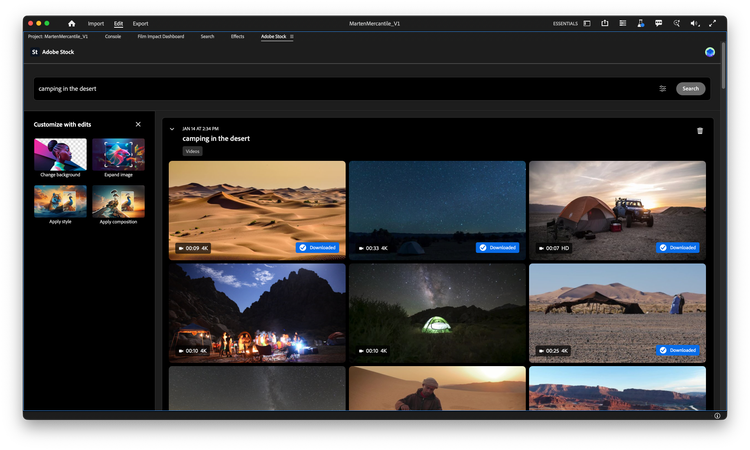
License Adobe Stock without the detour
Need some footage to fill a gap? Adobe Stock is now fully integrated inside Premiere like never before. Browse over 52 million clips (including 92,000 k free ones), and preview, license, and import them without breaking focus.
On top of all these new innovations coming to Premiere, After Effects 26.0 also opens up exciting new creative possibilities for motion designers and visual storytellers as we're excited to unveil one of its biggest slate of updates:
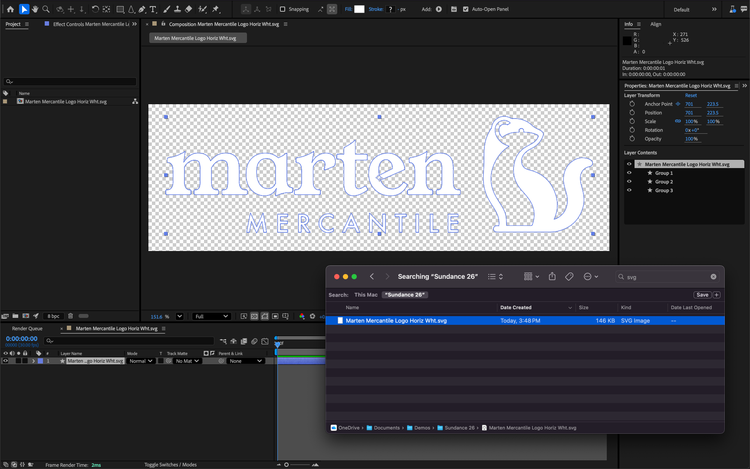
Enhanced vector workflows in After Effects
Vector workflows in After Effects are smoother than ever. You can now import SVG files, a common file type used by graphic designers in Adobe Illustrator, as native shape layers and start animating with full vector fidelity. When you convert Illustrator layers to shape layers, gradients and transparency are preserved and remain editable, so you can keyframe color transitions and animate gradient motion. And new gradient scale and rotation properties give you more creative control for fills and strokes.
Create Native 3D Parametric Meshes
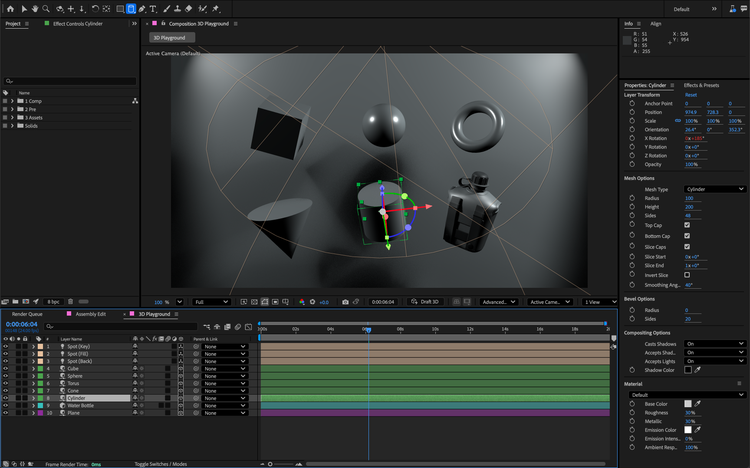
Design in 3D with parametric meshes that you can create from scratch right inside of After Effects. You can build and customize cubes, spheres, cylinders, cones, toris, and planes. Combine shapes like building blocks to craft stylized graphics or photorealistic set pieces. Additionally, new Spot and Parallel shadows enhance the realism and dynamics of scenes.
Style your scenes with over 1,300 free Substance 3D materials
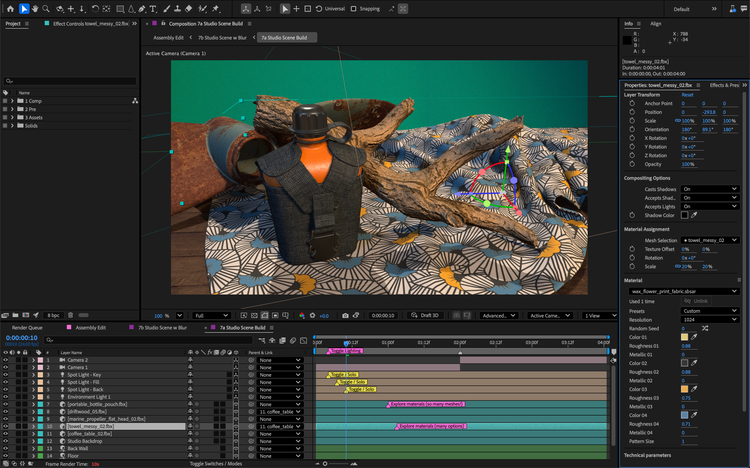
You can now access and apply Substance 3D materials to both native meshes and imported models to add depth and realism to your models in just a few clicks. These materials are dynamic and customizable, allowing you to tweak them to fit your vision. After Effects provides access to thousands of materials via Substance Community Assets, with over 1,300 free materials available for all users. Use offset, rotation, and scale controls to dial in the look you want and animate any property of your materials to bring them to life.
Upgraded Motion Typography with Variable Fonts
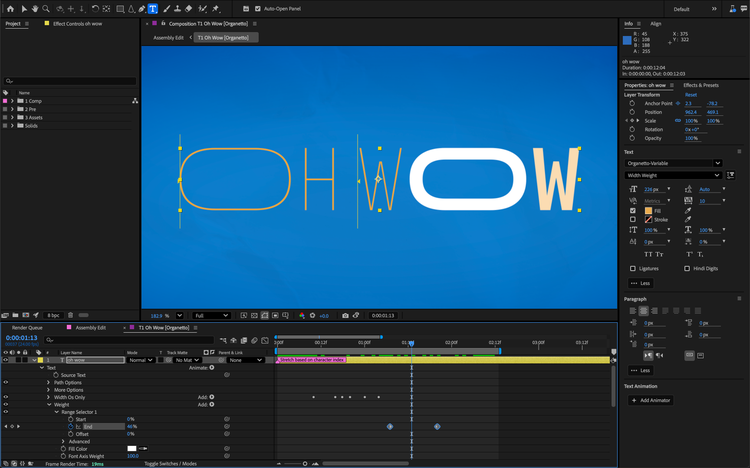
Motion typography in After Effects just got a major upgrade. Using the Text Animator, you can now animate every axis a variable font exposes with keyframes and expressions. Adjust the weight, width, slant, wiggle, and any designer-defined font axes in the Properties Panel, and drive them through the Essential Graphics panel and Motion Graphics templates for flexible titles and templates.
Quality of life improvements that keep you in flow
Sometimes it’s the smaller updates that make the biggest impact in your work. The new Unmult effect quickly composites footage with solid black or white backgrounds by removing pixels based on brightness thresholds so you can easily key complex clips that contain fire and smoke. You now have access to three new audio effects: Gate, Compressor, and Distortion. They make cleaning up and shaping sound easier without having to leave After Effects. High Performance Preview Playback is faster than ever by extending preview durations while using significantly less disk space with no loss in visual fidelity. Plus, Native WinARM support improves performance on next-generation PCs. To find the settings we've reorganized preferences for quicker access to comp and project settings, and keyframe referencing in expressions is now simpler.
The new Adobe Premiere and After Effects 26.0 are available starting today. Be sure to head to your Creative Cloud app and get ready to update!